Vantage Launches MCP Connectors for the FinOps Agent
Connect supported third-party MCP servers to the FinOps Agent, starting with Datadog.
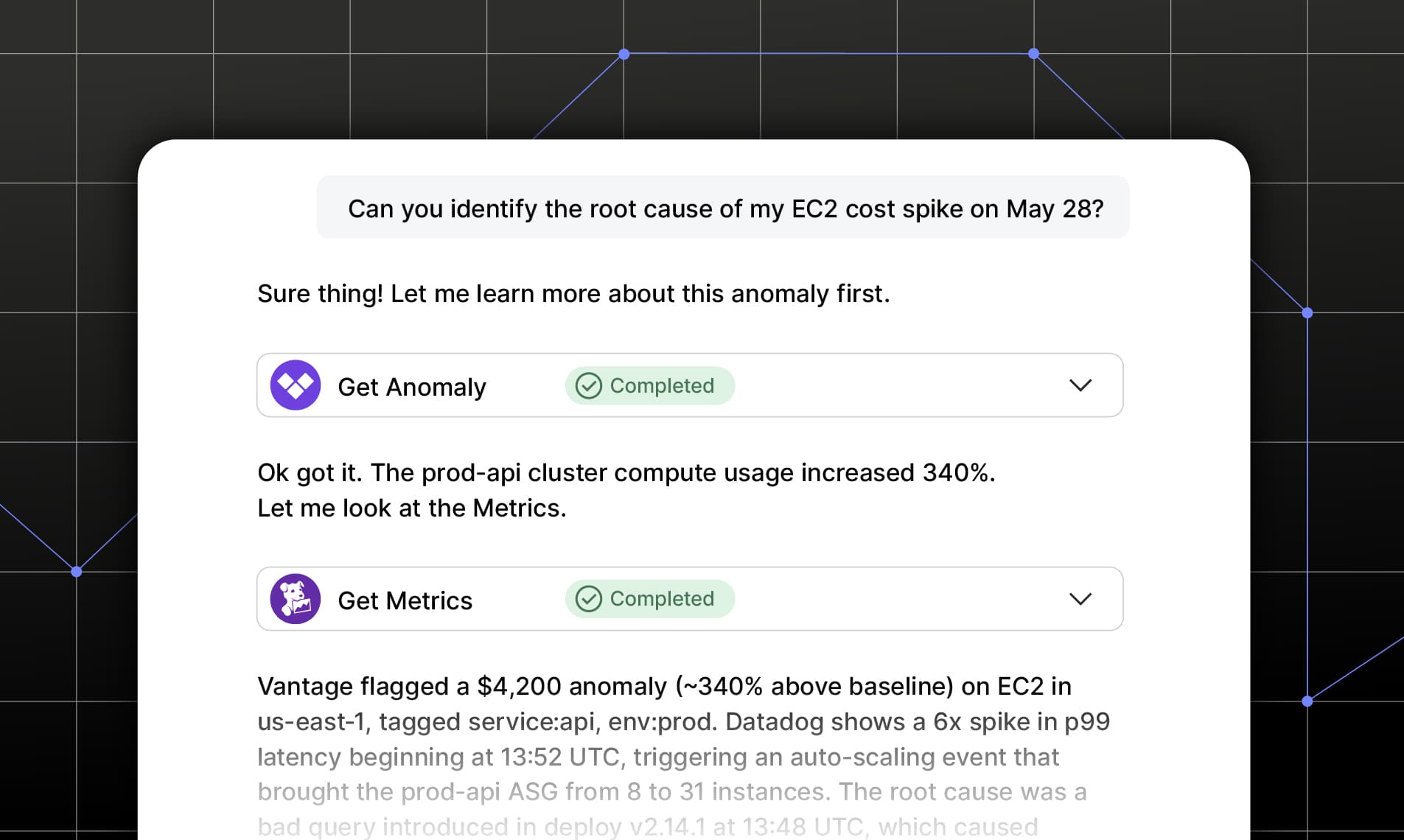

Today, Vantage is launching MCP Connectors for the FinOps Agent. Customers can now connect supported third-party MCP servers directly to the FinOps Agent, bringing context from other systems of record into the same place that already has the deepest understanding of their cloud costs.
Connect a third-party MCP server, like Datadog, to the FinOps Agent to investigate costs with context from across your stack.
Vantage already holds what core FinOps work depends on: cost data, allocation logic, business metrics, and cost recommendations that tell teams where their money is going and where it's being wasted. But FinOps is one piece of a larger business, and the context that explains cost, and the work that drives it, lives in the other tools teams use every day. The signals that explain why costs changed may live in tools like Datadog. The work that comes out of a cost decision gets tracked in tools like Linear and reported in tools like Notion. Previously, that meant leaving Vantage to gather context before an analysis and leaving again to act on it afterward.
Now, with the launch of MCP Connectors, customers can connect supported MCP servers to the FinOps Agent from the Integrations page. A new "MCP Connectors" section lists the available MCPs. After selecting an MCP and authenticating through that connector, the MCP becomes available to the entire organization, including the FinOps Agent through the Vantage console and Slack, as well as Canvas, the newest agent-based report type. Users can then ask the agent questions that draw on the connected tools to investigate costs or take action in those tools directly. For example, when Vantage surfaces a rightsizing recommendation for an EC2 instance, a user can ask the agent to check the instance's CPU and memory utilization in Datadog to confirm it is oversized, then open a ticket in Linear to track the change.
MCP Connectors for the FinOps Agent, starting with Datadog, is now available to all Vantage customers. To get started, navigate to the Integrations page, and locate the “MCP Connectors” section. Refer to the Datadog MCP FinOps Agent documentation for configuration details and the FinOps AI Prompt Guide for example queries.
Frequently Asked Questions
1. What is being launched today?
Vantage is launching MCP Connectors for the FinOps Agent, starting with Datadog. Customers can now connect a supported third-party MCP server to the FinOps Agent from the Integrations page, enabling the agent (in-console and in Slack) to pull in live context from that tool—like infrastructure metrics—alongside Vantage cost and allocation data.
2. Who is the customer?
This feature is available to all Vantage customers utilizing the FinOps Agent.
3. How much does this cost?
Charges are based on token consumption for conversations with the FinOps Agent through natural language. Vantage will waive all costs associated with token consumption during an introductory period. Detailed pricing information will be announced before billing begins. Once token consumption billing begins, total costs accumulated and tokens consumed will be available on the Billing page and will be billed monthly, either via credit card or AWS Marketplace. To learn more about pricing examples, head to the new portion of the pricing page.
4. How does it work?
For each MCP Connector you would like to add, navigate to its integration card in the MCP Connectors section within the Integrations page. Some MCPs will require a single authentication per organization, and some will require per-user authentication.
Once connected, the FinOps Agent can call any external MCP tools in the same turn it uses Vantage MCP tools. The agent decides when to reach for other MCPs based on the question asked. This applies to both questions asked to the FinOps Agent in the Vantage console, as well as in Slack.
5. What Vantage permissions are needed to configure third-party MCPs?
You must have the Owner or Integration Owner role in Vantage to add, edit, or remove third-party MCP integrations. All Vantage users can invoke the Datadog MCP through the FinOps Agent once it has been configured by an Owner.
6. Does Vantage store data from any of my MCP Connector tools?
Vantage will only store data that is explicitly written into conversation responses with the FinOps Agent. No ancillary data is collected or stored outside of what is used for your conversation.
7. How do I connect the Datadog MCP to the FinOps Agent?
Navigate to Settings in the UI, and in the new MCP Connectors section, click on “Datadog MCP”. From here, you will be navigated to Datadog in order to authenticate. Once successfully authenticated, you will be navigated back to Vantage, and your organization will now have access to the Datadog MCP.
8. What Datadog permissions are required to connect?
The user installing the Datadog MCP in Vantage must also be a Datadog Admin in order to successfully create the MCP connection. Even if you have previously performed the Datadog cost integration in Vantage, you will be required to re-authorize the connection in order to add the following scopes: mcp_read, billing_read, usage_read, metrics_read, timeseries_query, logs_read_data, logs_read_index_data, logs_read_workspaces, monitors_read, apm_read, dashboards_read, incident_read, events_read, and llm_observability_read.
See the documentation for details on these scopes.
9. Is data from MCP Connectors used to train any models?
No. Data retrieved from MCP Connectors through the FinOps Agent is not used to train any models.
10. What happens if I disconnect an MCP from the FinOps Agent?
The MCP tools will no longer be available to the FinOps Agent. Previous conversations will retain historical responses based on your retention period, but the agent will not be able to call disconnected MCPs.
11. What can I do with the Datadog MCP inside the FinOps Agent?
Examples of how you can utilize the Datadog MCP alongside the Vantage FinOps Agent include:
- Perform robust anomaly investigations: retrieve time-series metrics (CPU, memory, network, request count) for the resources associated with a Vantage cost anomaly to identify the root cause.
- Validate Rightsizing Recommendations: pull historical utilization data (average and peak CPU/memory) for resources that Vantage recommends downsizing, to confirm the recommendation is safe.
- Unused resource verification: check whether a resource Vantage identifies as unused is receiving any traffic or compute load in Datadog before acting on it.
- General infrastructure correlation: ask open-ended questions that require both cost context from Vantage and performance context from Datadog in a single answer.
12. Are there any limitations when using the Datadog MCP?
The Datadog MCP server is not available for GovCloud customers. Note that Datadog API usage generated by FinOps Agent queries will count against your Datadog plan limits—refer to your Datadog agreement for details.
13. Does the FinOps Agent have permissions to take actions in my Datadog account?
The Datadog MCP integration is read-only. The FinOps Agent can retrieve metrics, dashboards, and monitor status from Datadog, but cannot create, modify, or delete any Datadog resources.
14. Can I connect multiple Datadog organizations?
Yes, you can authenticate into multiple Datadog organizations, based on the organizations that the user connecting has access to. Once you have authorized into your first organization, you can add additional organizations by clicking on the “Datadog MCP” in your Integration Settings. At the top of the page, you will see a drop down for “Datadog organization”. After selecting a new organization, you will see a prompt to reconnect to broaden the scopes based on FAQ 8.
15. Will Vantage add support for MCP Connectors beyond Datadog?
Yes. Vantage plans to expand the list of supported integrations based on the tools most commonly used by FinOps practitioners alongside Vantage - ticketing systems (e.g., Linear), infrastructure vendors (e.g., PlanetScale), productivity tools (e.g., Notion), and more. If there is a specific MCP integration you would like to see, contact your Vantage account team or reach out to support@vantage.sh.
Sign up for a free trial.
Get started with tracking your cloud costs.