Vantage Launches Filters and Value Prefixes for Collapsed Tag Keys
Scope collapsed tag keys to specific providers or accounts with filters, and prepend value prefixes to distinguish the source of each collapsed value.


Today, Vantage is launching filters and value prefixes for collapsed tag keys, giving customers more precise control over how Tag Key Collapsing works within virtual tags. Customers can now scope collapsed keys to specific providers, accounts, or other cost dimensions using the same filter builder available on Cost Reports, and optionally prepend a prefix string to every collapsed value to distinguish its source after merging.
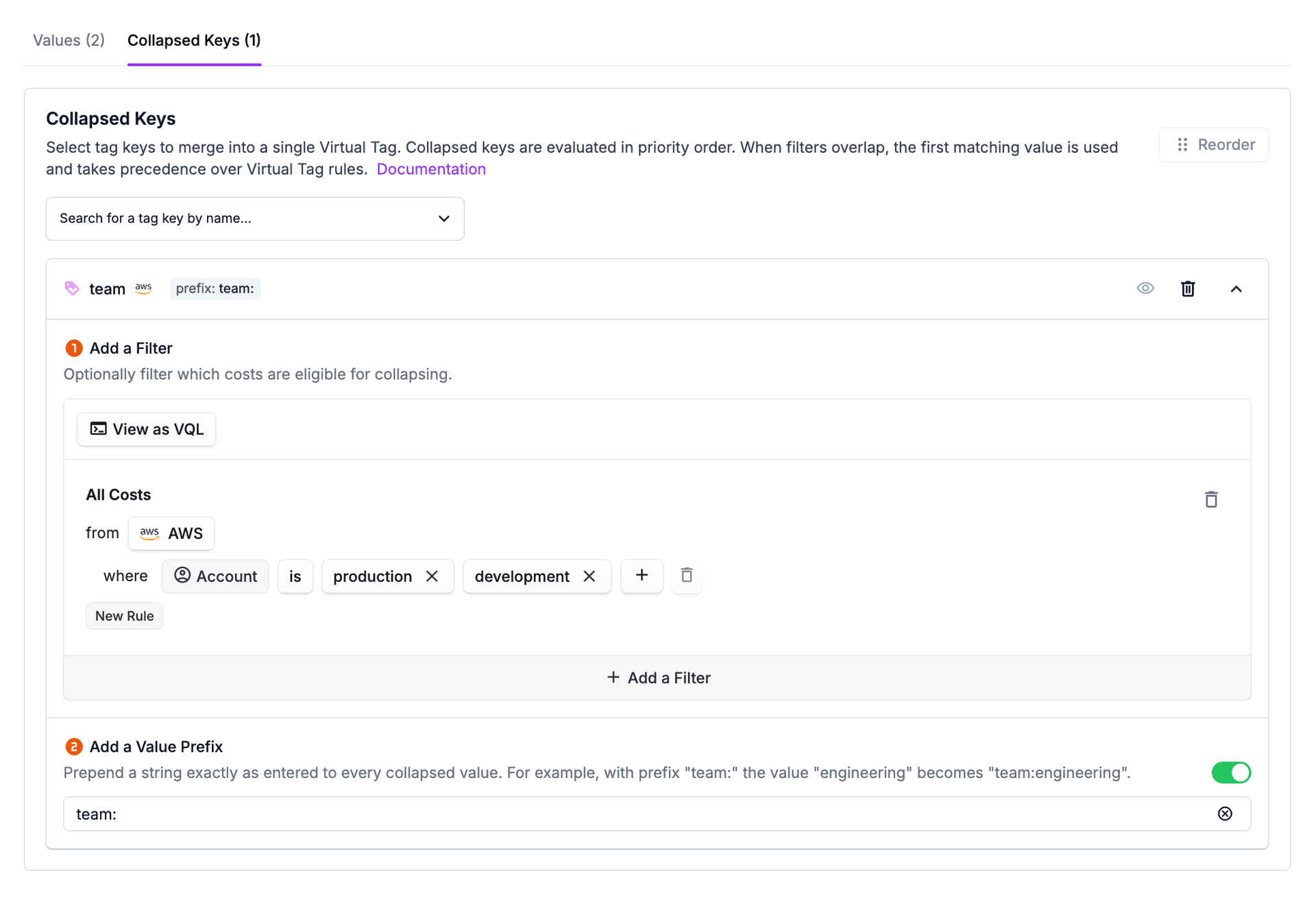
Previously, when collapsing tag keys into a virtual tag, customers could only choose between including all providers for a given tag key or toggling individual providers on and off. This limited control made it difficult to scope collapsing to specific accounts, services, or other cost dimensions beyond provider. It also meant that when values from different sources shared the same name, there was no way to tell them apart after collapsing.
Now, each collapsed key row can be expanded to configure two optional settings. First, customers can add a filter to restrict which costs are eligible for collapsing from that source key. For example, a customer can collapse the team tag from only their production AWS accounts while excluding sandbox accounts, or scope environment to specific GCP projects. Second, customers can enable a value prefix toggle and enter a string that is prepended exactly as entered to every value taken from that collapsed key. For example, with a prefix of aws:, a value of production becomes aws:production, making it easy to identify which source key contributed a value when multiple keys share overlapping values.
Filters and value prefixes for collapsed tag keys are now available to all customers with virtual tags. To get started, navigate to Settings > Tags, open a virtual tag with collapsed keys, and expand any collapsed key row to configure a filter or prefix. For more details, see the Tag Key Collapsing documentation.
Frequently Asked Questions
1. What is being launched today?
Vantage is launching two new optional settings for collapsed tag keys within virtual tags: per-key filters and value prefixes. Customers can now use filters to control which costs are eligible for collapsing from each source tag key, and add prefixes to distinguish values after they are merged into the virtual tag.
2. Who is the customer?
This feature is for Vantage customers who use Tag Key Collapsing to consolidate redundant or inconsistent tag keys into standardized virtual tags. It is especially useful for organizations with multi-account, multi-provider environments where tag keys need to be scoped to specific slices of cost data, or where overlapping tag values need to be disambiguated.
3. How much does this cost?
There is no additional cost. Filters and value prefixes for collapsed tag keys are included for all customers who have access to virtual tags.
4. How does it work?
When viewing or editing a virtual tag with collapsed keys, expand any collapsed key row to see two sections:
- To add a filter: Select your filter criteria to restrict which costs are eligible for collapsing from that source key. For example, scope to a specific provider, account, service, or any other filterable dimension. If no filter is set, Vantage merges values from that tag key everywhere it appears across your connected providers.
- To add a value prefix: Toggle on the prefix option and enter a string to prepend to every value from that collapsed key. The prefix is applied exactly as entered with no automatic separator. For example, with prefix
team:the valueengineeringbecomesteam:engineering.
5. What happens if I don't set a filter on a collapsed key?
The collapsed key behaves as before: Vantage merges values from that tag key across all providers where the key exists in your account data. Any new provider integration that starts reporting the same tag key will be included automatically.
6. What happens if I set a filter on a collapsed key?
Only costs that match both the source tag key and the filter are eligible for collapsing. Costs outside the filter are not affected by that collapsed key. Provider icons on the collapsed key row update to reflect the providers included in the filter.
7. Can I use any filter criteria, or only provider?
You can use any filter criteria available in the Vantage filter set, including provider, account, service, category, region, tag, and other dimensions. The filter set is the same one used on Cost Reports and other filter surfaces across the platform.
8. What characters are allowed in a value prefix?
Prefixes can contain letters, numbers, spaces, and the following characters: _ - @ & + , . : /.
9. Can I see the prefix without expanding the row?
Yes. When a prefix is active, a badge displaying the prefix appears on the collapsed key row header so you can identify it at a glance.
10. What happens if I turn off the prefix toggle?
Turning off the toggle clears the prefix. The collapsed key's values will no longer have the prefix applied after saving.
11. How do filters interact with collapsed key priority?
Filters do not change how priority works. Collapsed keys are still evaluated in list order, and when filters on different keys overlap, the value from the highest-priority key (highest in the list) is used. Collapsed keys are also still evaluated before any configurations on the Values tab.
Sign up for a free trial.
Get started with tracking your cloud costs.