Vantage Launches Editable VQL in Filters
Edit Vantage Query Language directly in the console to reuse and modify filter logic as code.
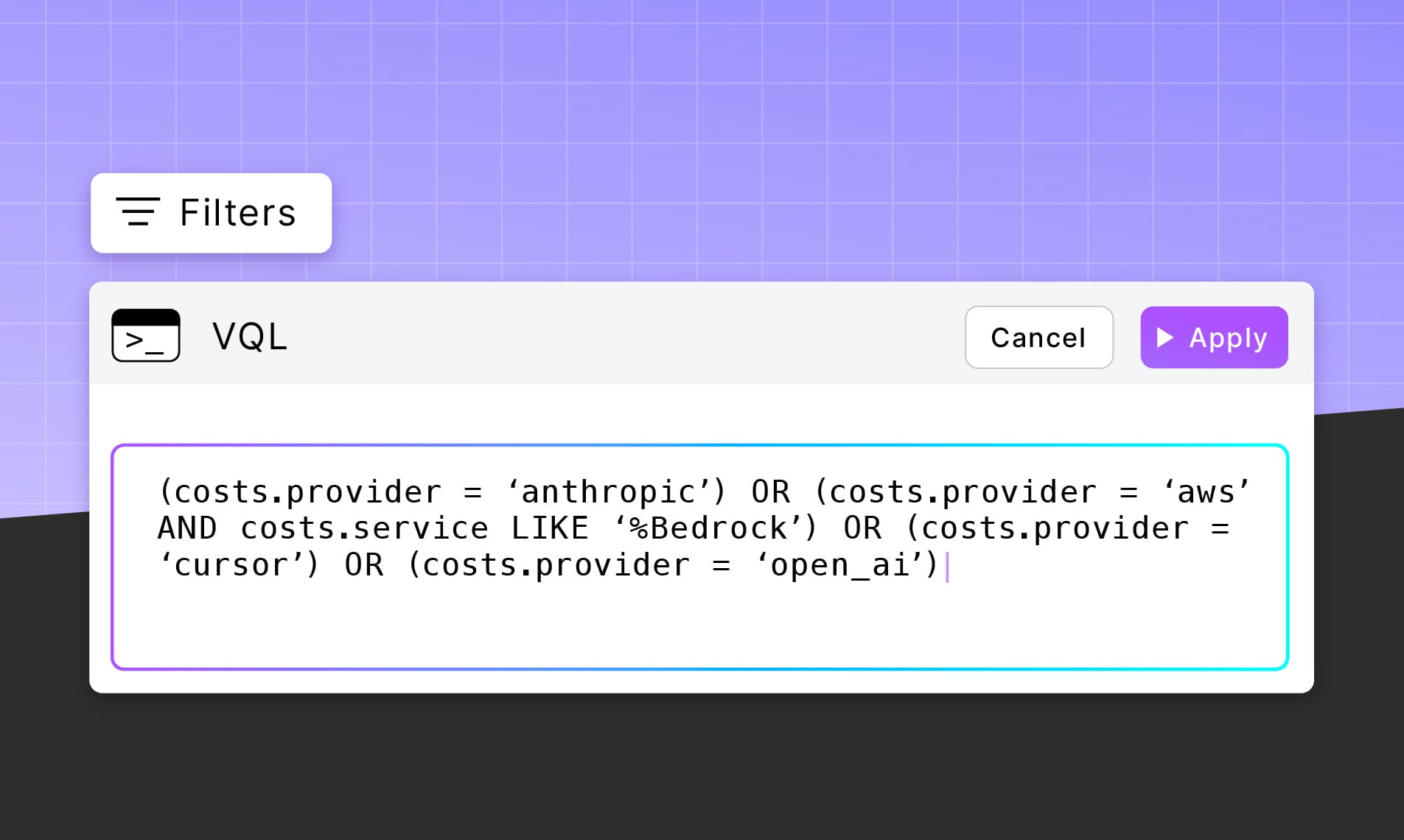

Today, Vantage is launching Editable VQL for filters, giving customers the ability to directly modify Vantage Query Language (VQL) within the console. Customers can now view, edit, and reuse filter logic as code across reports, virtual tags, and other parts of the Vantage platform.
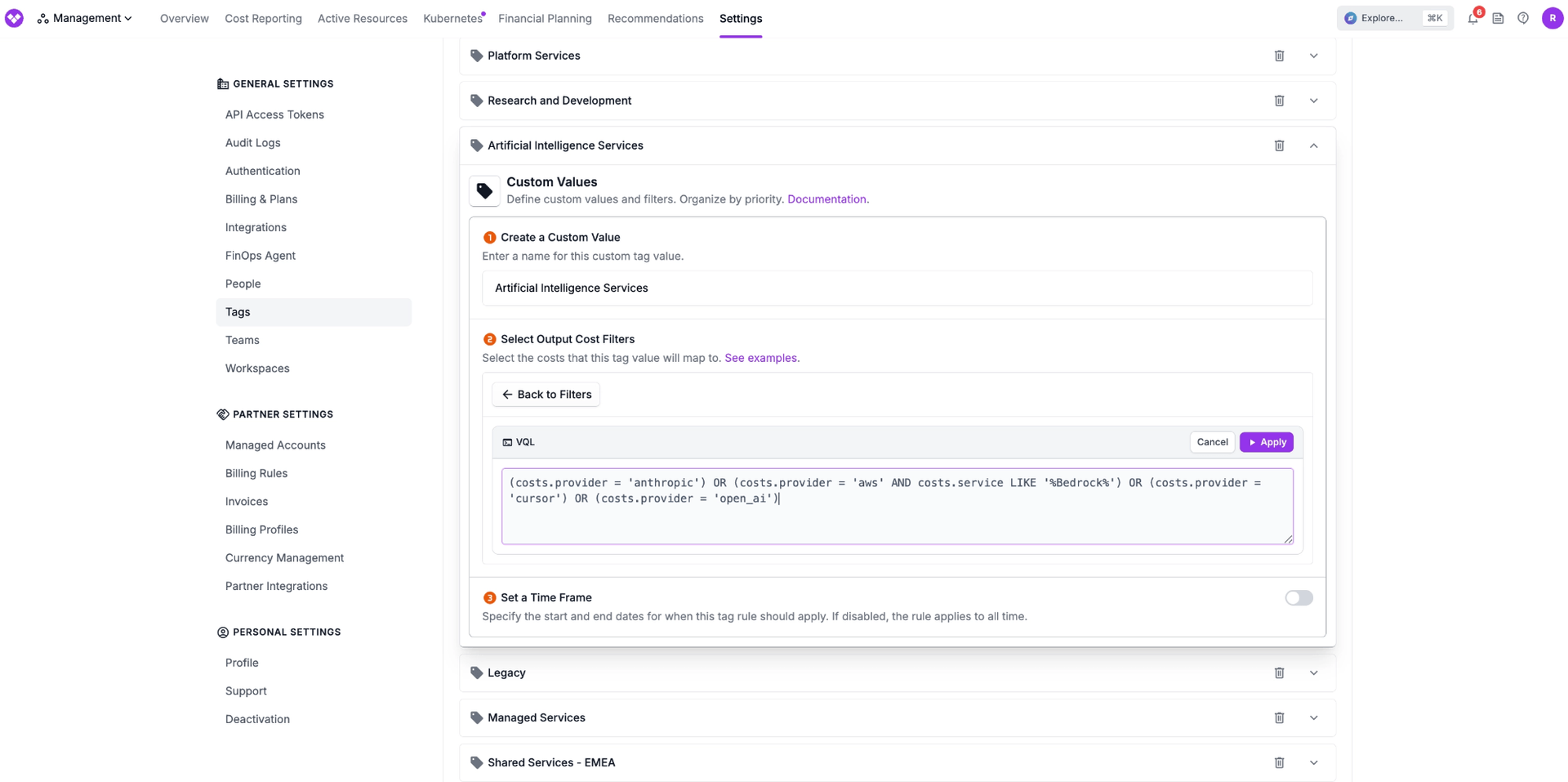
Previously, VQL in the Vantage console was read-only. While customers could copy VQL into code-based workflows using the Vantage API or Terraform provider, making changes or reusing filters in the console required recreating or editing filters in the visual UI. This created friction for teams reusing complex filters across different reports or replicating filter logic with small adjustments to existing configurations.
Now, when viewing a filter set as VQL, customers can edit the query directly within the console. This enables users to take an existing filter and modify attributes as code, or copy configurations across different parts of Vantage, such as from Cost Reports to Virtual Tags. Customers can now treat filters as reusable, portable building blocks, making it faster to standardize logic, iterate on queries, and manage cost allocation at scale.
Editable VQL for filters is now available to all customers. To get started, open any filter set in the Vantage console and toggle to the VQL view to begin editing. For more details, see the VQL documentation.
Frequently Asked Questions
1. What is being launched today?
Vantage is launching Editable VQL for all filters in the console. Customers can now directly edit filter logic using VQL instead of relying solely on the UI builder.
2. Who is the customer?
This feature is designed for all Vantage users, including FinOps practitioners, engineers, and analysts. It is especially useful for customers who manage complex filters, reuse filter logic across multiple surfaces, or want more control and precision when defining queries.
3. How much does this cost?
There is no additional cost for using Editable VQL.
4. How does it work or how do I use it?
When viewing or creating a filter set (e.g., in Cost Reports or Virtual Tags), users can switch to the VQL view. From there:
- The existing filter is represented as VQL
- Users can directly edit the query
- Changes are reflected immediately in the filter configuration
This allows users to modify specific attributes, copy VQL to other parts of the platform, or reuse logic across workflows.
5. Where can I use Editable VQL?
Editable VQL is available in the following locations:
- Cost Reports
- Network Flow Reports
- Kubernetes Efficiency Reports
- Financial Commitment Reports
- Virtual Tags
- Saved Filters
6. What happens if I enter invalid VQL?
If the VQL is invalid, Vantage will return an error and prevent the filter from being saved until the query is corrected. This ensures filters remain valid and consistent.
7. Can I still use the visual filter builder if I create a filter using VQL?
Yes, the visual filter builder remains available. Customers can switch between the UI and VQL views depending on their preference.
8. What permissions do I need to edit VQL within filters?
To edit VQL in reports, users need Editor (or higher) permissions and access to the report they want to change. To edit VQL in tags, users must have the Owner role.
Sign up for a free trial.
Get started with tracking your cloud costs.