Vantage Launches the FinOps Agent in Console
An AI assistant for cloud costs, now built directly into the Vantage console.
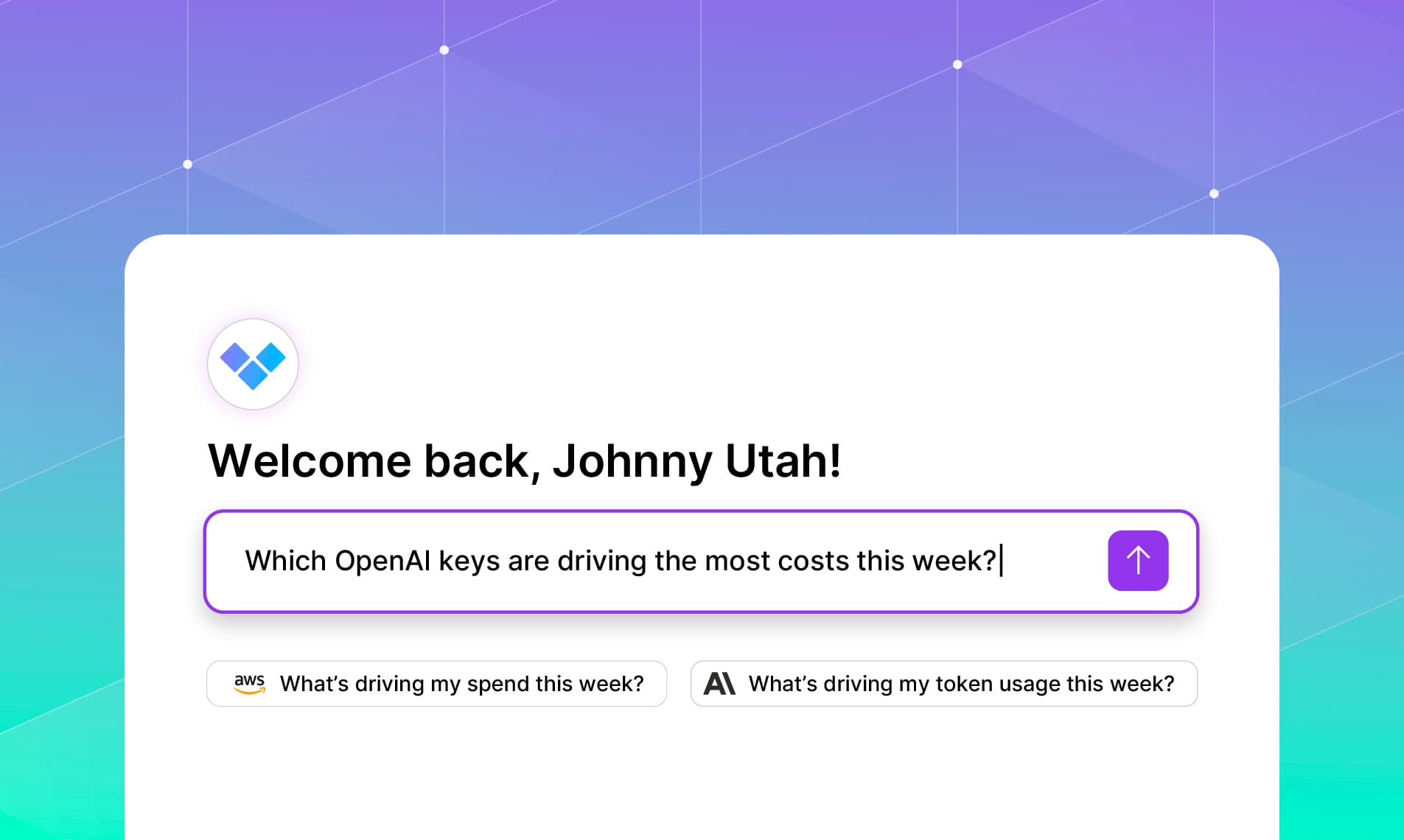

Today, Vantage is introducing the Vantage FinOps Agent in the console, bringing real-time cost intelligence and automation into the same place where users already monitor cloud costs. Teams can ask questions in plain language, quickly pinpoint what’s driving spend changes, generate and refine reports, and run deeper analysis through the FinOps Agent without leaving the Vantage console.
The in-console FinOps Agent makes Vantage more interactive, more accessible, and faster to use for day-to-day FinOps work. Users can ask the agent to explain anomalies, summarize what changed in a Cost Report, create a new report or dashboard, refine Virtual Tags, or answer questions about how to use Vantage, using natural language. This is especially valuable for teams that want the speed of agentic workflows inside the product they already use for cloud cost visibility. The result is a more intuitive Vantage experience for practitioners across roles, from dedicated FinOps practitioners to engineers and finance stakeholders.
The FinOps Agent exists as a standalone page for full-screen conversations. Users can create new threads at any time, as well as access previous conversations, to keep context contained and iterate on cost investigations over time. Conversations are retained according to your Vantage data retention period. The agent can understand links and references to resources (e.g., Cost Reports, Virtual Tags, Budgets, etc.) within your Vantage account.
The FinOps Agent is now available in the console to all customers. Navigate to the Agent tab to start a new conversation or revisit previous ones. Additional information is available in the Vantage documentation.
Frequently Asked Questions
1. What is being launched today?
Vantage is launching the FinOps Agent in the Vantage console, bringing real-time cost insights and actions directly to where users are already working. Ask questions in plain language, quickly pinpoint what’s driving spend, and generate or refine reports and dashboards without leaving Vantage. It’s a faster, more intuitive way for every team to turn cloud cost data into decisions and outcomes.
2. Who is the customer?
This feature is designed for FinOps practitioners, engineers, and finance teams using Vantage to monitor and optimize cloud spend, especially teams that automate building reports, investigate anomalies, and manage dashboards.
3. How much does this cost?
Charges are based on token consumption for conversations with the FinOps Agent through natural language. Vantage will waive all costs associated with token consumption during an introductory period. Detailed pricing information will be announced before billing begins. Once token consumption billing begins, total costs accumulated and tokens consumed will be available on the Billing page and will be billed monthly, either via credit card or AWS Marketplace. To learn more about pricing examples, head to the new portion of the pricing page.
4. How do I use the FinOps Agent in the console?
The FinOps Agent is available as a dedicated, full-screen page in the Vantage console. Users can open a conversation and ask questions in natural language, such as:
- “Create a report of AWS costs by team for the last 7 days”
- “Can you investigate what caused this anomaly?”
- “Add this report to my engineering dashboard”
The agent can query data across your entire Vantage account, within your role-based access, as well as the Vantage documentation. Users can start new conversations at any time and revisit previous conversations to continue an investigation while keeping topics contained to a single thread.
For examples of agent capabilities, as well as best practices around interacting with the agent, see our FinOps Agent Prompt Guide.
5. What actions can the agent take?
The agent can:
- Query, create, and modify Vantage resources, such as Cost Reports, Dashboards, Virtual Tags, and more
- Perform investigations on cost anomalies and identify cost drivers
- Advise you on Vantage best practices, or answer questions about the platform
- Provide navigation to any report or primitive within the Vantage console
All actions are scoped to the permissions of the logged-in user. See the Vantage MCP Tools for a complete list of actions the agent can perform.
6. Are conversations saved?
Yes, conversations are stored and scoped per user. Conversations are named by the FinOps Agent based on the initial question you ask, and can be renamed at any time by clicking the ellipsis next to a conversation. Users can return to previous conversations to continue analysis or reference past work. They can also start new conversations at any time to keep topics separate. Messages are retained for the duration of your retention period in Vantage.
7. Does the agent respect permissions and access controls?
Yes, the agent inherits the role-based access control (RBAC) permissions of the logged-in user and can access or act on only the data the user is authorized to view.
8. Are there any usage limits?
There are currently no usage limits for the in-console FinOps Agent.
9. Do my conversations carry over between Slack and the console?
No, your conversations in the Vantage console are visible only to you as an authenticated user within the console. Slack threads, especially those that contain conversations across multiple users in public channels, are not carried over into the Vantage console. You cannot view the messages you create in the console within Slack.
10. How do assets generated by the agent, such as Cost Reports and Virtual Tags, appear within the Vantage console?
Assets created or updated by the agent appear as if they were performed by your user. Any associated audit log entries are attributed to your user, reflecting actions taken by the agent on your behalf.
11. Can the agent consume or create files, such as CSVs?
At this time, the agent can accept text files, like CSVs. Other file types will be supported in the near future.
12. If I use the FinOps Agent, is my data used to train any models?
No. Your data is not used to train AI models. The agent only accesses data fetched directly from your account via Vantage’s APIs. Agent improvements are made through prompt engineering by Vantage’s engineering team, using customer feedback to improve accuracy and guidance.
13. I am a Vantage MSP customer. How does the agent work for me?
The Vantage FinOps Agent is scoped to the accounts your user has direct access to. In an MSP setup, this means you can use the agent within your MSP management account, but not across child managed accounts by default.
To use the agent within a specific managed account, masquerade into that account and access the agent there. Any questions asked while masquerading remain privately scoped to your user and are not visible to the managed account.
14. Can I ask the FinOps Agent questions that are not related to Vantage?
The FinOps Agent has guardrails in place to answer only questions that are pertinent to Vantage and the data within your Vantage account.
15. Can I customize the agent's behavior or responses for my organization?
Currently, there is no ability to customize the behavior of the agent or its responses.
16. Can I choose my model/bring my own model?
No, Vantage selects models based on highest accuracy for responses.
17. How can I provide feedback on my experience using the agent?
You can leave feedback about your experience using the agent or Vantage in general by telling the agent that you have feedback to share. This will prompt the feedback tool from the Vantage MCP, and have your message sent directly to the Vantage team for review.
18. I am currently on a free trial of Vantage, will I have access to the FinOps Agent?
Yes, users on free trials will have access to the FinOps Agent.
Sign up for a free trial.
Get started with tracking your cloud costs.
Read more
Vantage Launches Support for Cartesia Costs
Vantage Launches Usage Budgets: Monitor Tokens and Provider Usage Units Alongside Cost
Vantage Launches Native Business Metrics Imports for GCP BigQuery and ClickHouse
Vantage Launches Support for DigitalOcean Costs