Vantage Launches Fractional GPU Cost Allocation Support Leveraging NVIDIA MIG
Allocate shared NVIDIA MIG GPU costs to the Kubernetes workloads using them, with idle capacity that reconciles to the physical GPUs on your bill.
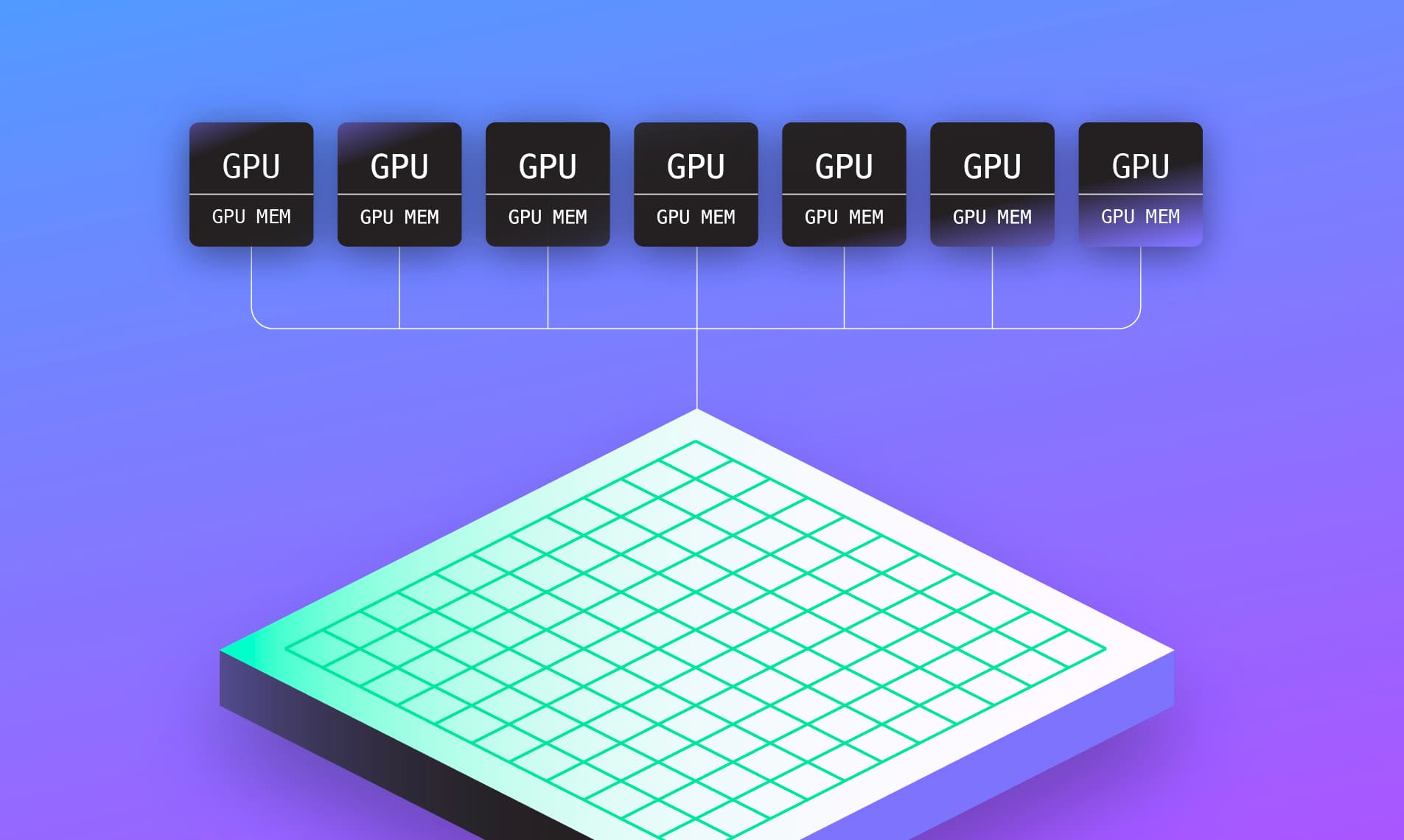

Today, Vantage is announcing support for NVIDIA Multi-Instance GPU (MIG) cost accounting for Kubernetes workloads. Vantage now counts each MIG device as a fraction of the physical GPU it sits on, rather than as a whole GPU, so customers running single-strategy MIG can see accurate workload GPU cost and idle GPU capacity reconciled to the GPUs they’re actually billed for.
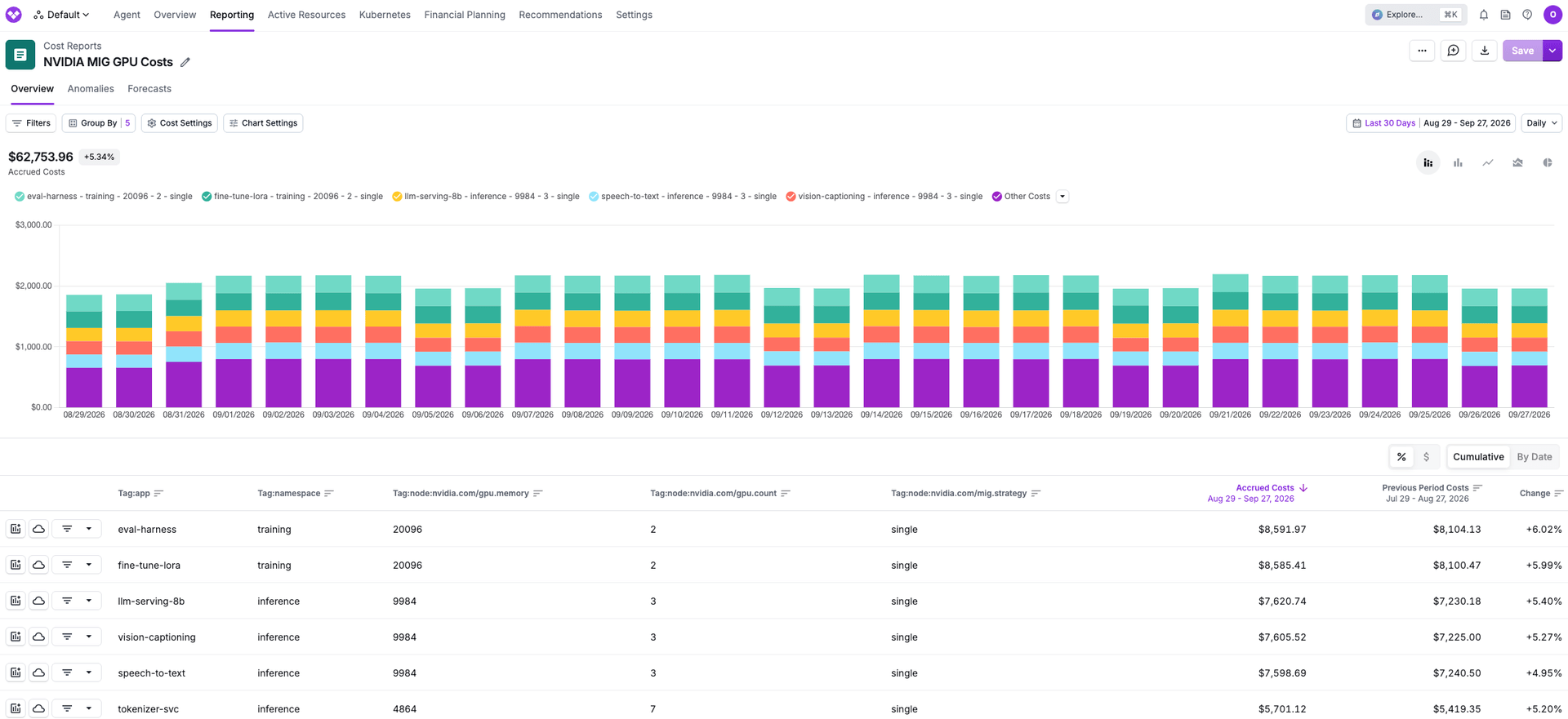
NVIDIA Multi-Instance GPU (MIG) lets teams divide physical GPUs into smaller, isolated instances, each with dedicated compute and memory resources, allowing several workloads to run simultaneously on the same GPU. Teams use MIG when individual workloads—such as AI inference or development jobs—don’t require an entire GPU. As AI adoption has grown, inference workloads have multiplied, and MIG has become a practical way to share expensive GPUs among them. Vantage adjusted its approach to measure efficiency at the MIG-slice level, so utilization reflects the capacity each workload actually uses rather than treating every slice as a full physical GPU.
Now, Vantage automatically detects and allocates MIG usage, enabling cost allocation on shared GPUs and reflecting accurate utilization. Once the Vantage Kubernetes agent is upgraded to version 1.3.3 and the GPU metrics are configured, Vantage will profile the number of slices, incorporating that into cost and utilization calculations, as well as ingest node labels like nvidia.com/gpu.memory or nvidia.com/gpu.count so you can see allocation per team, namespace, or workload. For example, on a node where one physical GPU is split into two equal MIG devices, a pod holding one device for an hour reports 0.5 physical GPU-hours instead of 1.0, and the remaining 0.5 shows up as idle capacity under the __idle__ namespace.
NVIDIA MIG support is now available to all Vantage customers. To enable it, upgrade to Kubernetes agent version 1.3.3 or later (Helm chart 1.10.0 or later) and ensure GPU metrics are configured. Once enabled, open a Kubernetes Cost Report, filter to Category = gpu, and group by namespace or by the nvidia.com/mig.strategy node label to see corrected workload and __idle__ GPU allocation. For more information, see the Kubernetes documentation.
Frequently Asked Questions
1. What is being launched today?
Vantage is launching support for NVIDIA MIG (Multi-Instance GPU) cost accounting on Kubernetes for NVIDIA’s single MIG strategy. Vantage scales each MIG device request to a fraction of the provider-priced physical GPU so workload GPU cost, usage, and __idle__ capacity match the physical GPUs on the node in Cost Reports.
2. Who is the customer?
Teams running Kubernetes GPU workloads that use NVIDIA MIG in single strategy—especially FinOps, platform, and AI/ML groups who need accurate chargeback, idle visibility, and a clear view of MIG’s cost impact.
3. How much does this cost?
There is no additional charge for MIG accounting. It is included with the standard Kubernetes Agent and Kubernetes cost reporting.
4. What is NVIDIA Multi-Instance GPU (MIG)?
NVIDIA Multi-Instance GPU (MIG) divides a supported physical GPU into smaller, hardware-isolated instances, each with dedicated compute and memory resources. This allows multiple workloads to share a GPU, with each using an instance sized for its needs.
In Kubernetes, the NVIDIA device plugin supports two strategies for exposing MIG devices: single and mixed.
- Single: Every MIG device on the node uses the same profile. The NVIDIA device plugin advertises devices as ordinary
nvidia.com/gpuresources. A request ofnvidia.com/gpu: 1means one MIG device, not one full physical GPU. This strategy is supported by Vantage today. - Mixed: Different MIG profiles can exist on the same node, and pods request profile-specific resources (for example
nvidia.com/mig-1g.10gb). Vantage does not apply special MIG accounting for mixed strategy.
5. How does it work?
When utilizing the single strategy, Vantage compares the MIG device count from nvidia.com/gpu.count against the physical GPU count in your cloud provider's instance pricing and scales each pod's GPU request by the ratio of physical GPUs to MIG devices, so workload cost and __idle__ capacity reconcile to the GPUs on your bill.
Example: one physical GPU exposed as two equal MIG devices, with one pod requesting nvidia.com/gpu: 1 for a full hour, reports 0.5 physical GPU-hours and half the previous workload GPU cost, with 0.5 physical GPU-hours under __idle__. Workload plus idle still equals one physical GPU.
6. What is required to use this?
It requires the Vantage Kubernetes agent at version 1.3.3 or later with GPU metrics enabled (agent.gpu.usageMetrics=true), and nodes running MIG in NVIDIA's single strategy with GPU Feature Discovery labels present: nvidia.com/mig.strategy, nvidia.com/gpu.count, and nvidia.com/gpu.memory.
7. Which MIG strategies are supported?
Today single-strategy NVIDIA MIG is supported. Mixed strategy (pods requesting named resources such as nvidia.com/mig-1g.10gb) is not currently supported. Those nodes keep existing full-GPU-style accounting.
8. Will historical data be backfilled?
Yes, historical data where the required GFD node labels are present can be backfilled upon request.
9. Does this change GPU efficiency calculations?
No, GPU efficiency continues to compare used GPU memory against the GPU memory allocated to the pod, so efficiency percentages and the per-pod GPU idle cost on Kubernetes Efficiency Reports are unaffected. Review How GPU Idle Costs Are Calculated for further information.
10. What happens if GFD labels are missing or incomplete?
If strategy is not single, or nvidia.com/gpu.count / nvidia.com/gpu.memory are missing or invalid, or the provider's physical GPU count is not strictly less than the MIG device count, Vantage keeps the existing full-GPU accounting rather than applying a fraction it can't verify.
11. Which providers are supported?
Single-strategy MIG accounting is supported on AWS and Azure today.
12. What unit will I see for usage?
Usage remains GPU-Hours and means physical GPU-Hours. Costs and idle capacity are intended to reconcile to the physical GPUs you are billed for.
13. Where do I see MIG costs in the console?
In Cost Reports filtered to Kubernetes (and optionally Category = gpu). Node labels from GFD (including MIG strategy and GPU count) can be used for filtering and grouping where node labels are available.
Sign up for a free trial.
Get started with tracking your cloud costs.
Read more
Vantage Launches Support for Cartesia Costs
Vantage Launches Usage Budgets: Monitor Tokens and Provider Usage Units Alongside Cost
Vantage Launches Native Business Metrics Imports for GCP BigQuery and ClickHouse
Vantage Launches Support for DigitalOcean Costs