Vantage Launches Simplified Provider Filtering
Create filter sets using "All Providers" in the UI, or omit the provider entirely in VQL, to analyze multi-cloud cost data in a single view.
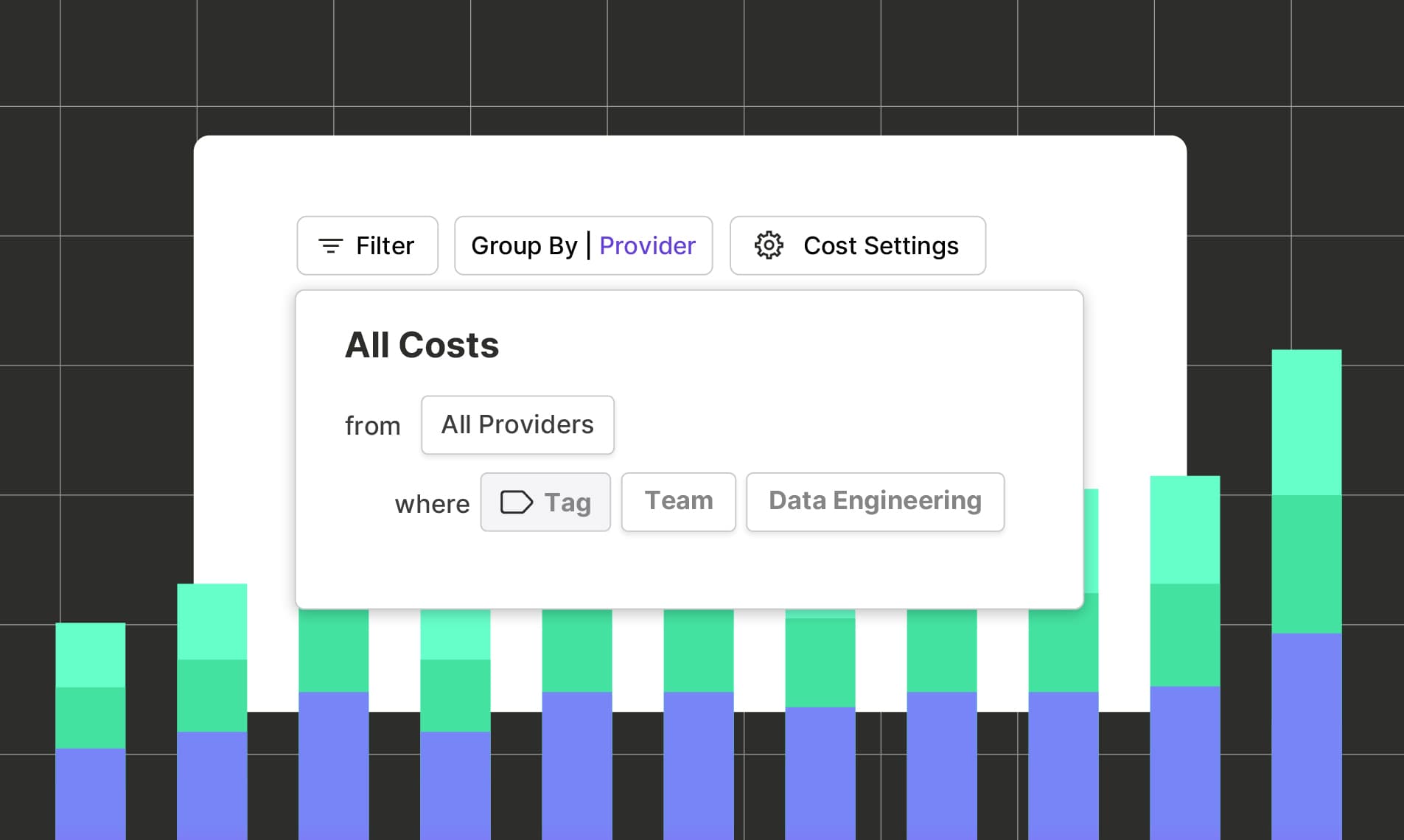

Today, Vantage is simplifying the user experience around cost provider filtering with a small but helpful update. Customers can now create filter sets using “All Providers” in the UI, or omit the provider entirely when using Vantage Query Language (VQL), making it easier to analyze and act on multi-cloud cost data in a single view.
A view of what a Cost Report looks like when filtered across All Providers.
Previously, filtering in Vantage required selecting a specific provider first to access provider-specific filter attributes. In multi-cloud environments, this meant creating separate filter sets for each provider, adding unnecessary complexity. For example, teams who use Virtual Tags to unify cost data across multiple cloud providers had to re-create the same filter logic for each provider to capture all tag values. This made it difficult to answer questions like “What are my costs across all providers for my Mobile App team?” or “What are my total costs across all production accounts?”
Now, customers can filter across all providers simultaneously with a single query in Cost Reports and Virtual Tags. When creating a filter in the Vantage console, users now have the option to select “All Providers” rather than a single provider. This allows them to query against account name, region, service, tag, or resource ID, regardless of where the cost originated, and return multi-provider results. This feature is even more powerful when using VQL with the API or Terraform. The provider attribute can be omitted entirely, reducing query complexity. For example, in situations like Virtual Tag creation, users can now define a single tag configuration for Team = Data Engineering, and create a unifying Virtual Tag across all their providers for their Data Engineering team.
This feature is available today anywhere filters are used in Vantage, such as in Cost Reports and Virtual Tags. For more details, see the Cost Reports and VQL documentation.
Frequently Asked Questions
1. What is being launched today?
Vantage now supports filtering across all providers simultaneously. Customers can apply filters universally across their multi-cloud cost data using “All Providers” in the UI or by omitting the provider in VQL.
2. Who is the customer?
This feature is designed for FinOps teams, engineers, and platform teams operating in multi-cloud environments, especially those using Virtual Tags to standardize and aggregate cost data across providers.
3. How much does this cost?
There is no additional cost for using this filtering improvement. This functionality is available to all Vantage customers.
4. How do I filter across All Providers?
In the Vantage UI, when creating or editing a filter set, select Provider = All Providers. You can then access any VQL attribute, such as Service, Category, Subcategory, and Account, and select any of the attributes for these from all of your providers.
In VQL, simply omit the costs.provider field. For example:
This query will automatically apply across all providers, allowing you to use any attribute available in the VQL schema, regardless of provider.
5. Where is this functionality available?
Filtering across all providers is available in Cost Reports and Virtual Tags.
6. Can I still filter by a specific provider if needed?
Yes. You can still explicitly filter by provider using the UI or by including the costs.provider statement in VQL. This feature simply removes the requirement to do so.
7. Will this impact my existing filters?
No. Existing filters that specify a provider will continue to work as-is. This feature is additive and optional.
8. Will filtering by all providers increase my Virtual Tag build hours?
Filtering by All Providers will act the same as if you were to add all providers to your Virtual Tag configuration. If your Virtual Tag does not apply across all of your providers, you can reduce build hours of a tag by specifying providers.
Sign up for a free trial.
Get started with tracking your cloud costs.