Vantage Launches Flexible Budget Periods
Set budget periods from one day to multiple years and see current-period performance, status, and hierarchical rollups in one place.
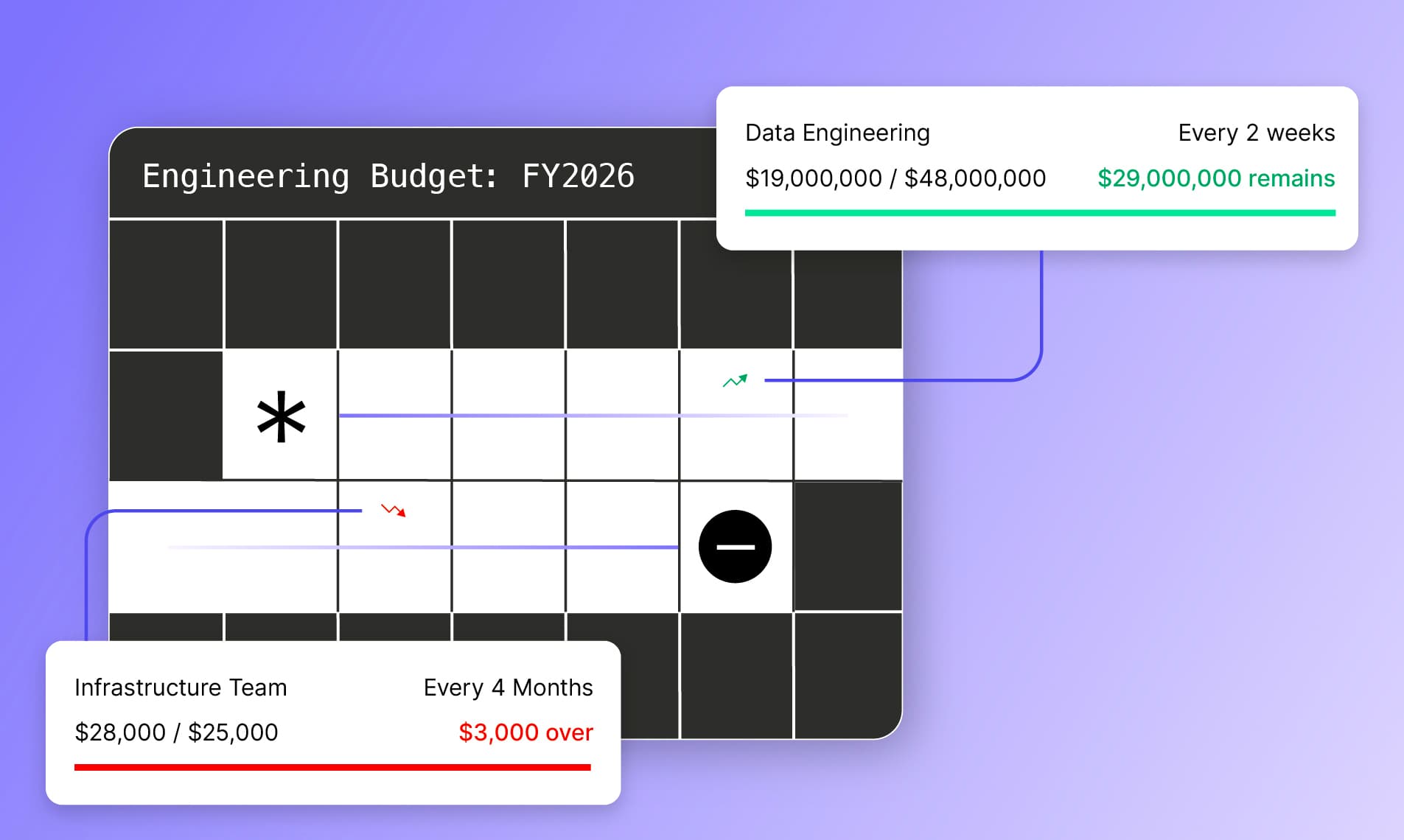

Today, Vantage is launching Flexible Budget Periods alongside a redesigned Budgets experience. Teams can set budget periods from one day to multiple years and see current-period performance, budget status, history, and hierarchical rollups in one place.
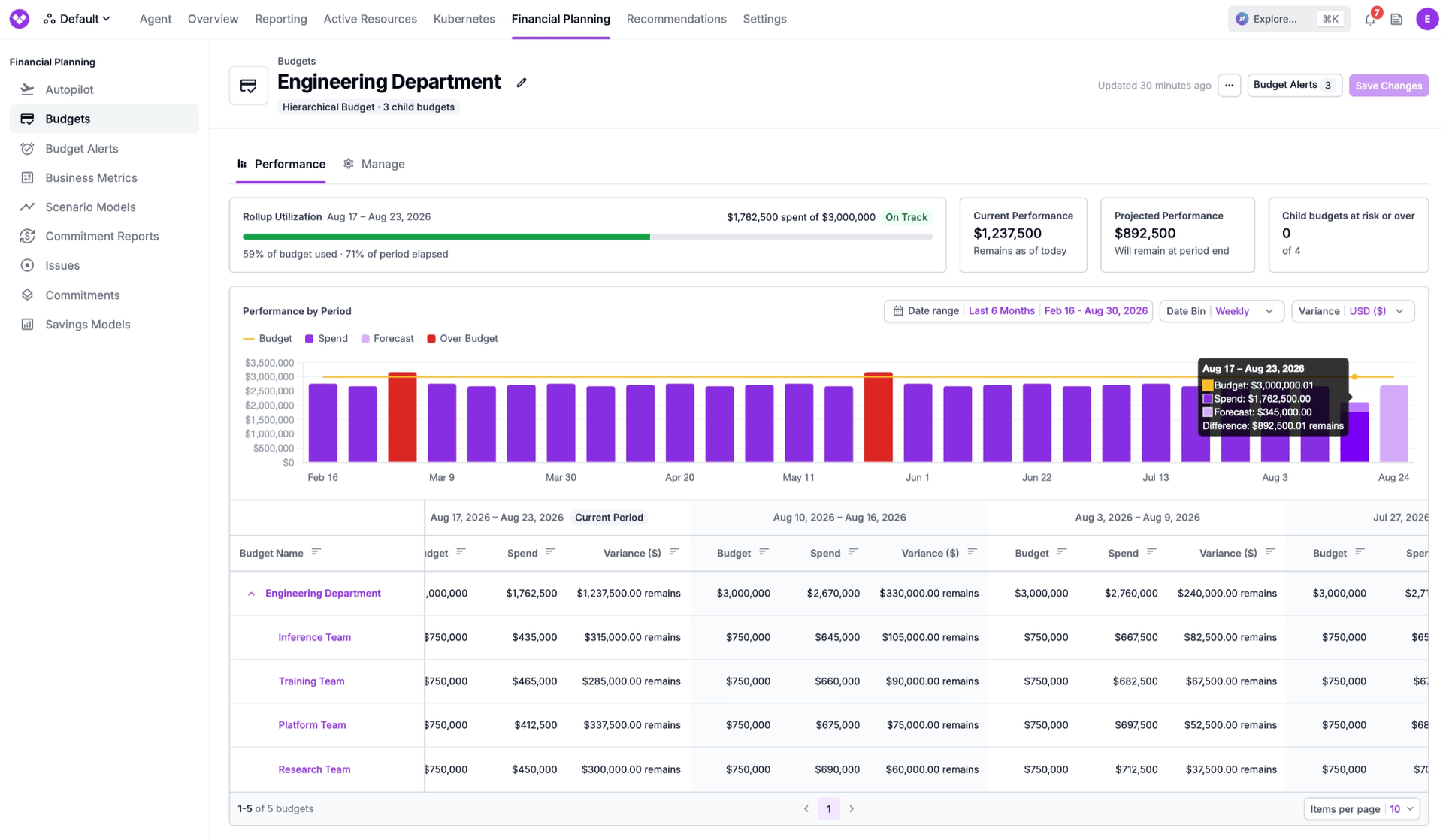
Vantage customers use Budgets and Budget Alerts to keep applications, teams, and organizations aligned with cost targets. Previously, every Vantage budget was measured against calendar-month budget periods. This forced teams with different planning cadences to translate their goals into monthly approximations and piece together longer-term performance, or to manually evaluate periods shorter than a month. As a result, it was difficult to measure longer evaluation periods, such as Enterprise Discount Program commitments, or shorter periods, like daily or weekly AI budgets for developers.
Now, with Flexible Budget Periods, users can define budget periods by any number of days, weeks, months, or years, to continuously monitor and be alerted to budgets that more closely map to their business cadences. Now when creating a budget, users set a start date and a period length, and then can add as many periods as needed with no need to pick start dates or end dates. This allows teams to measure scenarios such as daily budgets for developer AI spend, quarterly budgets for infrastructure planning, and multi-year tracking against committed spend for Enterprise Discount Programs.
The redesigned Budgets experience makes it easier to understand budget performance over time and configure budget alerts. The Budgets list page shows an expandable tree-table with current-period dates, performance summaries, keyword search, filters, and configurable columns. Each budget’s Performance tab combines budget utilization, projected performance, budget-vs-spend chart, and a per-period table for actuals, forecast, and variance. Hierarchical budgets add rollup utilization and highlight which children are at risk or over.
Flexible Budget Periods is now available to all users. To get started, users can navigate to Budgets in the Financial Commitments tab of the Vantage console. For more information, see the Budgets documentation.
Frequently Asked Questions
1. What is being launched today?
Vantage is launching Flexible Budget Periods, allowing users to create budget periods of any number of days, weeks, months, or years, beginning with periods as short as one day.
2. Who is the customer?
Any Vantage customer whose budget cadence does not fit a calendar month. Examples include engineering teams tracking daily developer AI spend, infrastructure teams managing quarterly budgets, and FinOps teams measuring spend against multi-year Enterprise Discount Program commitments or prepaid credits.
3. How do I choose a budget period?
When creating a Budget, select a start date and choose number of Days, Weeks, Months, or Years as the unit. For example, choose 1 Day for a daily budget, 1 Week for a weekly budget, 3 Months for a quarterly budget, or 2 Years for a two-year commitment. For every budget period you add, Vantage generates start and end dates, and you assign a budgeted amount to each period.
4. Are there limits on period length?
Periods measured in months or years cannot exceed the cost data retention window defined by your Vantage contract. Vantage displays an error if the selected interval is longer than that window. Period lengths measured in days or weeks are always allowed.
5. What happens to my existing Budgets and Budget Alerts?
No action is required. Existing budgets remain on their current calendar-month cadence unless they are edited. If you later change a budget’s start date or period length, the new setting governs future periods; existing period rows and historical performance are not automatically resized, merged, or deleted. Existing alerts continue evaluating against the budget’s configured period.
6. How do Flexible Budget Periods work with Hierarchical Budgets?
A Hierarchical Budget does not have its own period length or budgeted amounts. It assumes the periods, amounts, and performance of its child budgets. When adding child budgets to a hierarchical budget, they must all have the same period length.
7. What changed in the Budgets UI?
The Budgets screen now presents budgets in an expandable tree table with current-period dates and performance summaries, plus filtering, search, and configurable columns. The Performance tab combines current-period utilization, current and projected performance, a cumulative Budget-versus-Spend chart, and a per-period performance table. Hierarchical budgets also surface rollup utilization, children over budget, and the performance of individual child budgets. Users can create and manage budget alerts without having to navigate to a different page. Users can additionally view budget alerts within the context of a budget now through a slide-out when clicking the Budget Alerts button in the top right corner.
8. What statuses can my budgets have?
Budgets in Vantage can have the following statuses:
- Not Started - first budget period is in the future and budget is not currently being evaluated
- On Track - the current budget period is projected to be at or below the budgeted amount
- At Risk - the current budget period is not yet over budget, but is projected to be over budget based on current forecast
- Over - the current budget period is over the set budget
9. Can I set a budget’s period via CSV upload?
Yes. Add Start Date, Interval Count, and Interval Unit columns to the CSV after the budget name, then use each period’s start date in YYYY-MM-DD format as the remaining column headers. Interval Count must be a positive integer, and Interval Unit accepts day, week, month, or year. For example, this CSV creates a two-week budget with four budget periods:
Each amount is the total budget for the period beginning on the date in its column header. Existing CSV files that use YYYY-MM month columns remain supported and continue to create calendar-month budgets.
10. Can I create budgets with Flexible Budget Periods via API?
Yes. Send a period_cadence object when calling POST /v2/budgets. The starts_at field is required, interval_count must be a positive integer, and interval_unit accepts day, week, month, or year. The following example creates a $300,000 quarterly infrastructure budget starting January 1, 2026:
For Flexible Budget Periods, each amount is the total for that entire period—not a monthly amount. Period cadence applies only to Standard Budgets; Hierarchical Budgets inherit and aggregate the periods of their child budgets. See the Create Budget API documentation.
11. Can I create budgets with Flexible Budget Periods via Terraform?
Yes. Add a period_cadence block to a vantage_budget resource. This example creates the same $300,000 quarterly infrastructure budget:
The cadence fields follow the same rules as the API: starts_at is required, interval_count must be a positive integer, and interval_unit accepts day, week, month, or year. Check the vantage_budget resource documentation for the minimum provider version before applying this configuration.
12. Can I create, update, and delete budgets via the Vantage MCP or FinOps agent?
Yes, the create-budget, delete-budget, get-budget, list-budgets, and update-budget tools have all been udpated to be compatible with Flexible Budget Periods.
13. How do Budget Alerts work with Flexible Budget Periods?
Budget Alerts evaluate actual spend against the budgeted amount for the active budget period, whether that period is a day, week, quarter, year, or another configured length. If a budget alert contains an optional parameter of days since the start or end of the budget period, and it exceeds the length of the budget, it will not be evaluated.
14. Can I change a budget’s period length after it has started?
No, once a budget has started, you must create a new budget with the periods you wish to change to, and assign the new budget to a Cost Report in order to change the periods the costs are measured against.
Sign up for a free trial.
Get started with tracking your cloud costs.