Vantage Launches Tag Key Columns in Active Resource Reports
Select specific tag keys and display them as custom columns within Active Resource Reports.
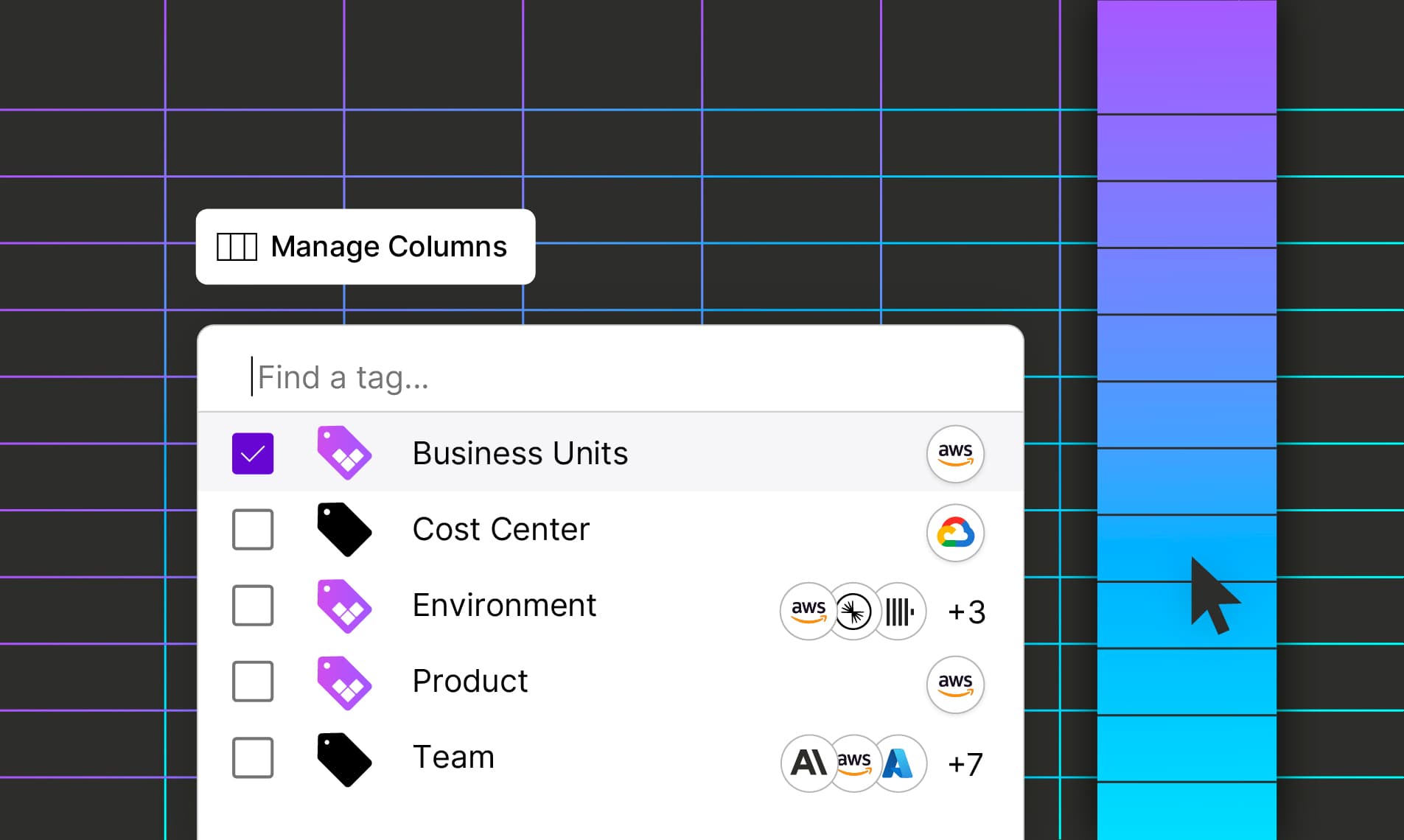

Today, Vantage is introducing Tag Key Columns for Active Resource Reports, enabling customers to select specific tag keys and display them as custom columns within Resource Reports. Customers can now easily analyze tag values across the resources in their deployed infrastructure.
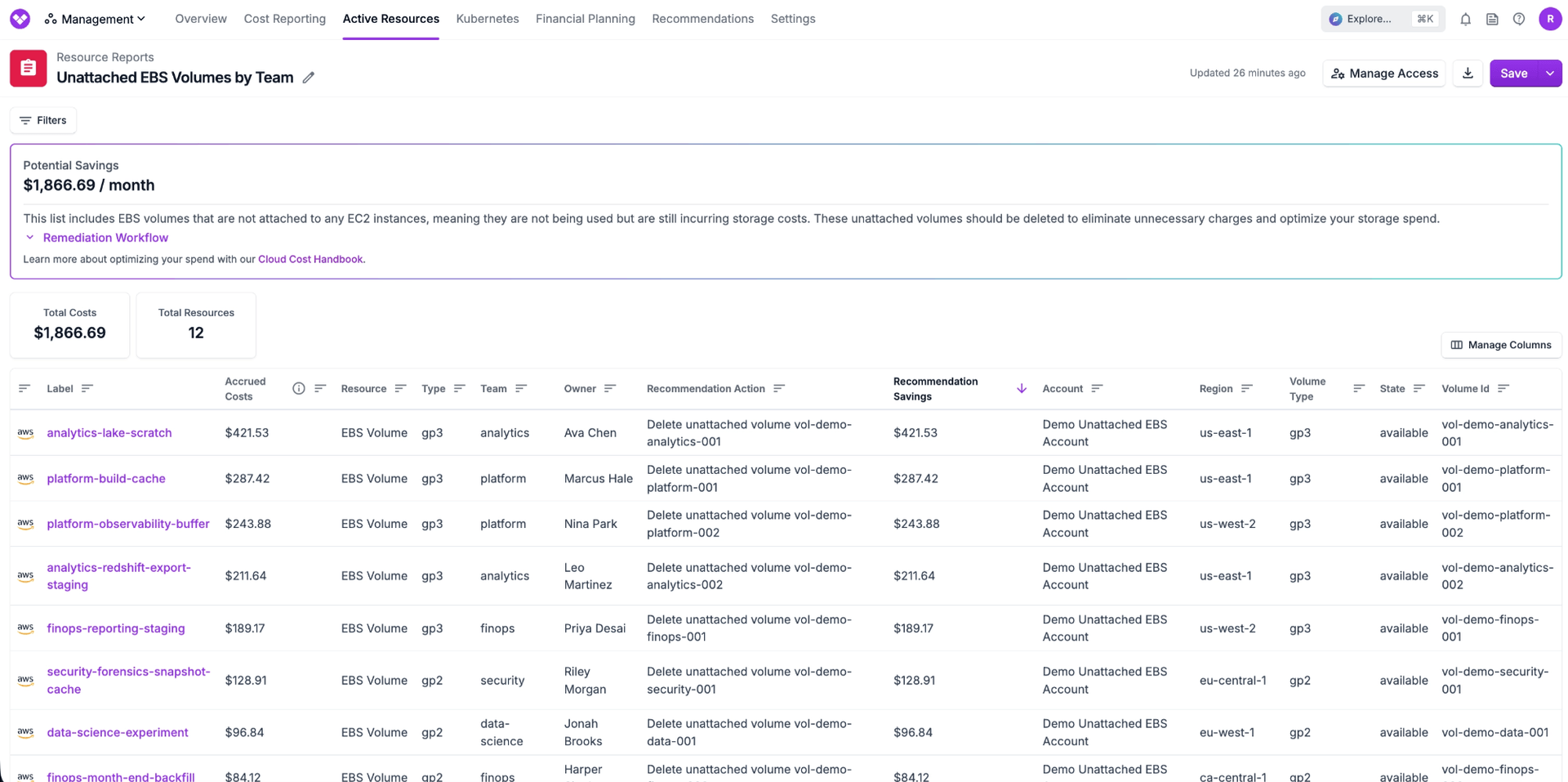
Tags like Team and Owner can now be added as columns in Resource Reports.
Previously, Active Resource Reports exposed tags as a single JSON blob sourced directly from cloud providers. While comprehensive, this format made it difficult to work with individual tag keys, analyze a specific tag key or value, or build workflows around consistent tagging. Additionally, this view excluded Virtual Tags, limiting customers’ ability to analyze standardized or derived tagging strategies within resource-level reporting.
Now, customers can select any provider or Virtual Tag key and add it as a dedicated column in their Active Resource Reports. When a tag key is added as a column, each resource will display the corresponding tag value inline, making it significantly easier to analyze resources by tag across large volumes. This allows teams to incorporate metadata within tags directly in resource reports, such as identifying owners of unattached EBS volumes from Vantage Cost Recommendations, auditing team attribution for highest cost RDS instances, or identifying resources in non-prod environments. Tag Key Columns will also be included in CSV and API exports of Resource Reports for external analysis outside of Vantage.
Tag Key Columns for Active Resource Reports are now available to all Vantage customers. To get started, navigate to an Active Resource Report and select a tag key from the column picker. For more information, see the documentation.
Frequently Asked Questions
1. What is being launched today?
Vantage is launching the ability to select tag keys, both provider tags and Virtual Tags, as columns in Active Resource Reports. Each selected tag key will appear as its own column with corresponding values per resource.
2. Who is the customer?
This feature is designed for FinOps practitioners, engineers, and platform teams who rely on resource-level visibility to manage infrastructure, enforce tagging standards, and allocate costs.
3. How much does this cost?
There is no additional cost to use Tag Columns for Active Resource Reports.
4. How does it work or how do I use it?
Within an Active Resource Report, users can open the column selector and choose a tag key. Once selected, the tag key is added as a column in the table, and each resource row will display the corresponding value for that tag.
5. What happens if a resource does not have a value for the selected tag?
If a resource does not have a value for the selected tag key, the column will display an empty or null value for that row. This makes it easy to identify untagged or inconsistently tagged resources.
6. What types of tags are supported as columns?
Customers can select both provider-native tag keys and Virtual Tag keys created within Vantage.
7. Can I sort by tag columns?
Yes, tag columns can be sorted so you can view your data ordered based on the columns you have added. This sort is over the entire group of resources you are viewing, not just the page you are currently viewing. Note that a report must be saved in order to sort on cost.
8. Can Tag Key Columns be included in CSV exports?
Yes, Tag Key Columns are also included in CSV exports of Active Resource Reports.
9. Can I use Tag Columns for Resource Reports that contain multiple services?
Yes, Tag Key Columns can be added to Resource Reports that contain multiple services.
10. Are there limits to how many tag columns I can add?
There are no limitations to the number of columns you can add.
11. Can I save views with tag columns configured?
Yes. Any selected tag columns can be saved as part of a report for consistent reuse across teams.
12. Can I set my desired columns for a Resource Report via API?
Yes, tag columns can be configured when performing a POST or PUT on the /resource_reports API. See the below example:
13. Can I set my desired columns for a Resource Report via Terraform?
Yes, tag keys can be set on the vantage_resource_report resource. See the below example:
Sign up for a free trial.
Get started with tracking your cloud costs.
Read more
Vantage Launches Support for Cartesia Costs
Vantage Launches Usage Budgets: Monitor Tokens and Provider Usage Units Alongside Cost
Vantage Launches Native Business Metrics Imports for GCP BigQuery and ClickHouse
Vantage Launches Support for DigitalOcean Costs