Introducing Vantage in ChatGPT
Ask questions, investigate costs, and take action directly in ChatGPT.
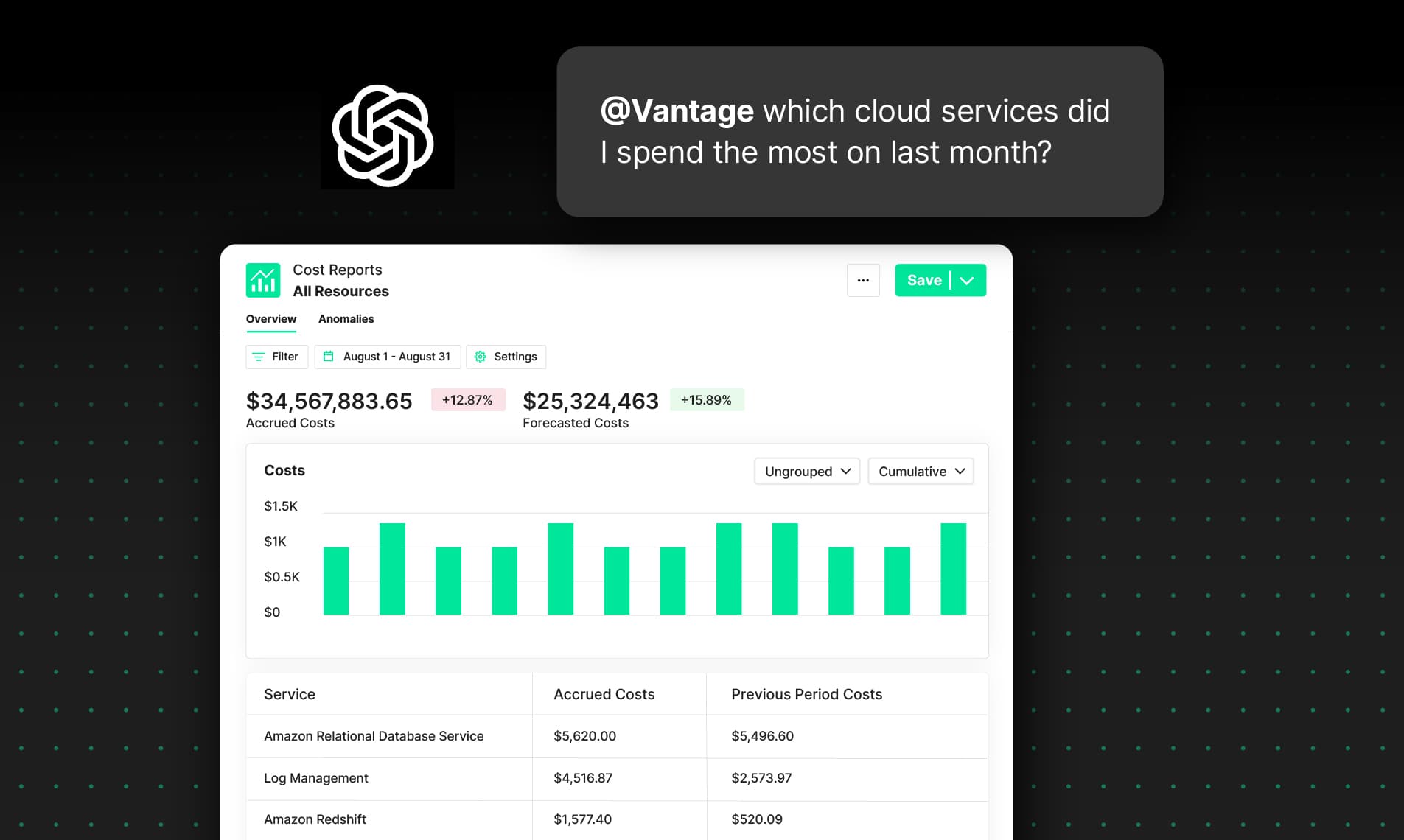

Today, Vantage announces the official Vantage ChatGPT app, giving customers a native way to explore and act on their cloud cost data directly from ChatGPT. With the app, customers can ask natural-language questions about spend, budgets, reports, recommendations, anomalies, dashboards, folders, and provider integrations without leaving ChatGPT.
Vantage launched MCP support roughly a year ago to allow customers to access their cost data through an agent-friendly interface. Customers have integrated that MCP into tools like Claude, Cursor, Goose, or Codex, and the usage it’s received has exploded. In continuation of this theme, Vantage launched its own native FinOps agent that’s accessible via Slack to meet customers where they get work done. The new ChatGPT app brings that same Vantage data and workflow layer directly into ChatGPT, making it easier for customers who already work there to ask questions, investigate costs, and take action.
Query cloud costs and take action directly in the Vantage ChatGPT app.
With the Vantage ChatGPT app, customers can do more than just interact with cloud spend. They can query costs across providers and services, inspect recommendations and anomalies, list users, teams, budgets, folders, dashboards, and reports, and perform supported write actions such as creating budgets, cost reports, dashboards, folders, cost alerts, and virtual tag configs. By bringing Vantage directly into ChatGPT, teams can move from question to answer to action in the same interface they already use every day, reducing tool switching and making it easier to stay focused on the decisions they need to make.
To get started, open the Vantage ChatGPT app in ChatGPT and add it to your workspace or account. See the Vantage ChatGPT app documentation for details.
Frequently Asked Questions
1. What is being launched today?
Vantage is launching a ChatGPT app that lets customers access Vantage directly inside ChatGPT. Customers can ask questions about cloud spend and related Vantage data, and can also perform supported Vantage actions without leaving ChatGPT.
2. Who is this for?
This is for Vantage customers who want to use ChatGPT as a frontend for FinOps workflows. It is especially useful for engineers, platform teams, finance teams, and FinOps practitioners who already use ChatGPT and want faster access to Vantage data and actions.
3. What can the Vantage ChatGPT app do?
The app can answer questions about cloud costs, budgets, cost alerts, anomalies, dashboards, folders, tags, recommendations, users, teams, and provider integrations. It also supports a set of write actions, including creating budgets, dashboards, folders, cost reports, cost alerts, and virtual tag configs, plus certain update and delete workflows where supported.
4. How much does this cost?
There is no separate Vantage-specific fee for the ChatGPT app itself. Customers still need an eligible Vantage account and an OpenAI/ChatGPT plan that supports using apps.
5. How is this different from the Vantage FinOps Agent in Slack or the Vantage MCP?
The FinOps Agent is a Slack-native assistant designed for teams that want to ask cost questions, investigate anomalies, and manage certain workflows from Slack. The Vantage MCP is the underlying protocol and server that lets AI clients connect to Vantage from tools like Claude, Cursor, Goose, or Codex. The ChatGPT app is a ready-to-use packaged experience inside ChatGPT. All three experiences build on the same Vantage MCP foundation, but they are delivered through different customer interfaces. The key difference is that the ChatGPT app gives customers direct access inside ChatGPT without requiring them to manually configure an MCP client.
6. How do I install it?
Open the Vantage ChatGPT app listing and click Connect. Complete the Vantage authorization flow when prompted. Then, in ChatGPT, click the + button in the chat box, select More, and choose Vantage to add it to your conversation.
7. What do I need in order to use it?
You need an active Vantage account and access to ChatGPT apps in your OpenAI environment. You also need permission within Vantage to view or manage the data you are asking about. The app only works against the Vantage access available to the authenticated user.
8. How does authentication work?
The app authenticates you with your existing Vantage account. After you approve access, the app can act on behalf of that Vantage user, subject to the permissions and workspace access already associated with that account.
9. Does the app respect Vantage permissions and RBAC?
Yes. The app respects the same Vantage account and workspace permissions that apply in the Vantage console and APIs. If a user does not have access to a given workspace, report, alert, or other resource in Vantage, the app should not be able to access it on their behalf either.
10. Can the app take actions, or is it read-only?
It can do both. Customers can use it for read workflows like querying spend, inspecting anomalies, or listing reports, and for supported write workflows like creating budgets, dashboards, folders, cost reports, cost alerts, and virtual tag configs. As with any Vantage action, the exact outcome depends on the user's permissions and the app's supported tool set.
11. What kinds of questions should I ask it?
The app works best for questions about cloud cost visibility, FinOps investigation, reporting, recommendations, and supported Vantage configuration tasks. For prompting ideas and best practices, see the FinOps AI Prompt Guide.
12. Does the ChatGPT app include the Vantage Docs MCP?
The ChatGPT app currently uses the Vantage MCP only, which means it is designed for querying and taking supported actions on your live Vantage account data in ChatGPT. It does not include the separate Vantage Docs MCP. If you also want AI-powered help with product documentation, setup steps, and how-to questions, you can add the Vantage Docs MCP separately for that use case. See the documentation for details.
13. What data does Vantage see when I use the app?
The app operates through Vantage APIs and MCP-backed workflows, so Vantage can see the API requests made on behalf of the user, just as it can with other Vantage product interactions. Prompts are handled in the AI client environment, while Vantage receives the underlying API calls needed to fulfill the request. For privacy and data handling details, see the Vantage Privacy Policy and Service Agreement. Customers should also review OpenAI's product terms for the complete picture.
Sign up for a free trial.
Get started with tracking your cloud costs.
Read more
Vantage Launches Support for Cartesia Costs
Vantage Launches Usage Budgets: Monitor Tokens and Provider Usage Units Alongside Cost
Vantage Launches Native Business Metrics Imports for GCP BigQuery and ClickHouse
Vantage Launches Support for DigitalOcean Costs