Vantage Launches Business Metric Calculations
Apply gross margin, usage unit cost, and raw metric overlays to any Cost Report, in addition to the existing unit cost calculation.
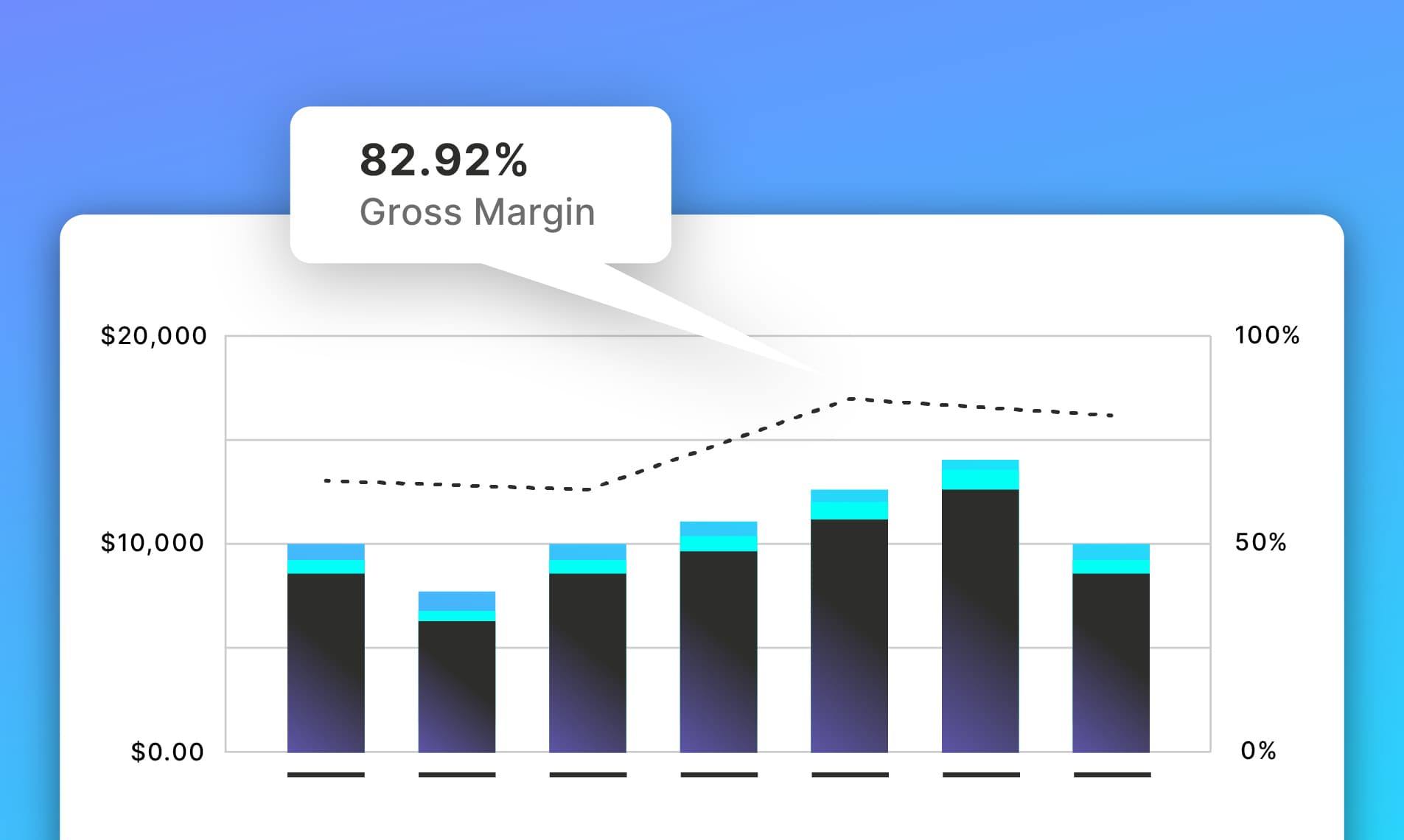

Today, Vantage is announcing Business Metric Calculations, a new way of applying business metrics to Cost Reports rendered as mathematical representations. In addition to the existing unit cost calculation, users can now calculate gross margin, usage unit economics, and overlay raw business metrics directly alongside their cloud costs.
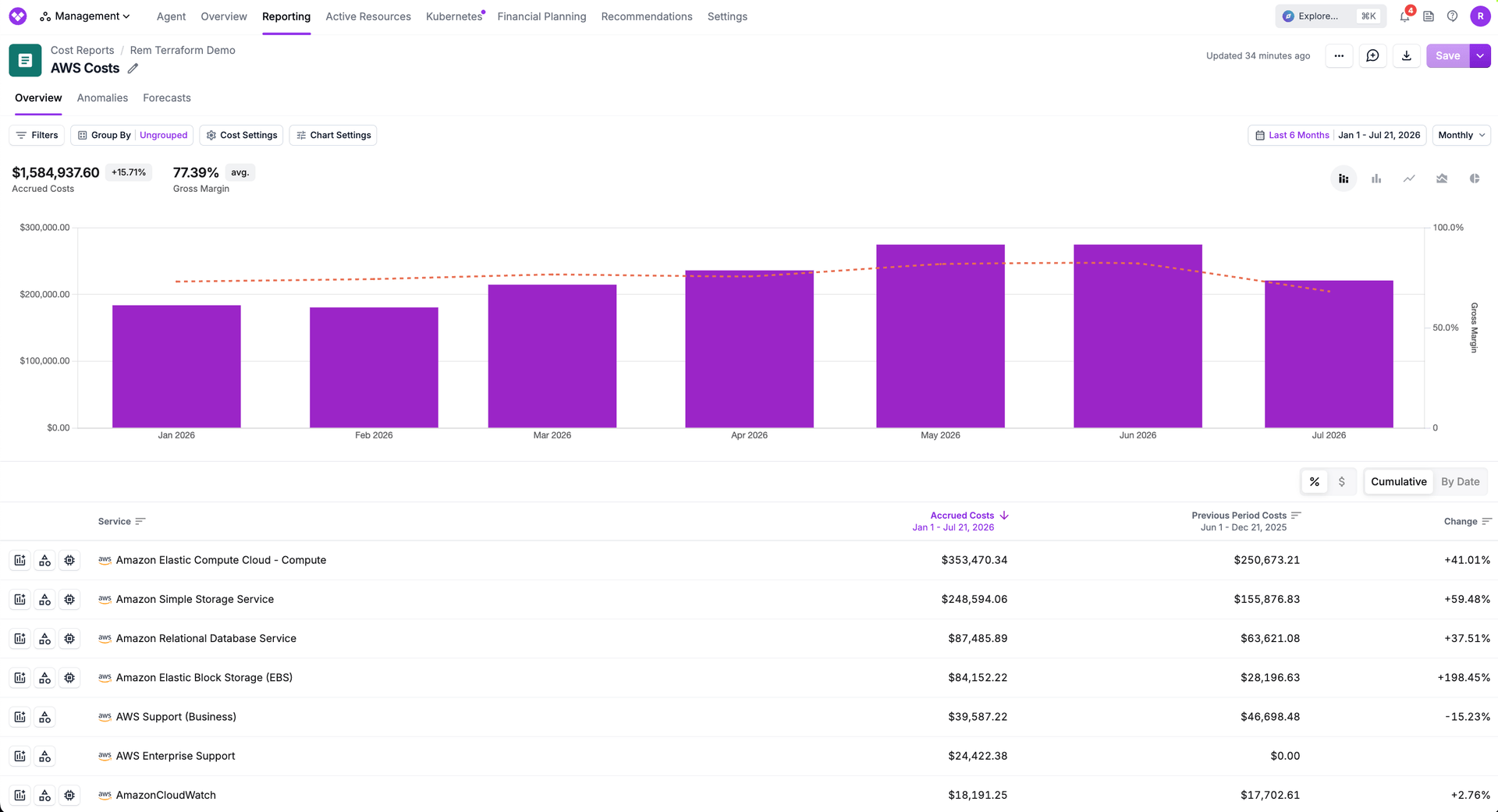
Vantage customers have long been able to calculate unit costs, such as the cost per customer, cost per API request, cost per transaction, when applying a business metric to a cost report. But unit cost is only one of many questions FinOps and engineering teams need to answer. Is our cloud spend compressing gross margins? How efficiently is our AI platform using tokens relative to what we're shipping? Are our infrastructure costs scaling in proportion to our customer growth? Until now, answering these questions meant exporting Vantage data to a spreadsheet and manually joining it with revenue or operational data. That friction slowed decisions and fragmented the conversation between engineering and finance.
Now, Business Metric Calculations expands what's possible when adding a business metric to a cost report. Users now choose from four calculation modes:
- Unit cost (existing) - divides infrastructure spend by a business metric to produce cost per unit
- Gross Margin - calculates (revenue − cost) ÷ revenue to show margin percentage directly alongside costs
- Usage Unit Cost - divides a provider usage quantity by a business metric, enabling ratios like LLM tokens consumed per pull request
- Raw Business Metric - overlays the metric value as-is on a secondary axis, making it easy to visually correlate customer growth or transaction volume against spend over time
All calculations render on a secondary y-axis as a line overlay, consistent with how unit cost is displayed today. This expands the types of reports you can create in Vantage, making it easier to visualize and evaluate infrastructure spend from multiple perspectives.
Business Metric Calculations is available today for all Vantage customers with business metrics configured. To get started, open any cost report, add a business metric, and select your preferred calculation type from the new dropdown. For more information, see the documentation.
Frequently Asked Questions
1. What is being launched today?
Vantage is launching Business Metric Calculations, which adds three new calculation modes—gross margin, usage unit economics, and raw metric overlay—to the existing unit cost option when applying a business metric to a cost report. All four modes render on a secondary axis as a line overlay within the cost report.
2. Who is the customer?
Any Vantage customer who has configured business metrics. This is particularly valuable for engineering and product leaders tracking AI efficiency, finance and operations teams monitoring gross margin trends, and growth teams comparing infrastructure cost trajectories against customer or usage growth.
3. How much does this cost?
Business Metric Calculations are available at no additional cost.
4. How do I use it?
When applying a Business Metric to a Cost Report, you will now be prompted to select how you would like to apply the business metric to that report. Vantage will perform calculations on your behalf based on the calculation type that you choose:
- Unit Cost - per day, Vantage will sum all costs and divide it by the summed or filtered business metric
- Usage Unit Cost - per day, Vantage will sum all usage quantities and divide it by the summed or filtered business metric. Note that for this, it is best practice to filter a cost report to have all of the same units (e.g., GBs of storage)
- Gross Margin - Vantage will use the formula of (Business Metric − Cost) ÷ Business Metric. When doing a gross margin calculation, the business metric should reflect revenue in order to properly make this calculation.
- Raw Business Metric - no calculation will be performed, allowing you to see the raw value.
5. How can I assign a Business Metric to a Cost Report and specify the calculation type through API?
Yes, you can use the PUT /business_metrics/ API to assign a Business Metric to a Cost Report, and set the calculation type through the calculation_type parameter. See the example below:
Allowable values for the calculation_type are:
unit_cost(default)gross_marginusage_unit_costraw_business_metric
6. How can I assign a Business Metric to a Cost Report and specify the calculation type through Terraform?
Terraform support will be available soon.
7. Can I retrieve business metric calculations via API?
Yes, you can retrieve results of a business metric applied to a Cost Report through the GET /unit_costs API. See example response below:
8. Can I apply multiple calculation types to the same cost report?
Yes, you can add multiple business metrics to a single cost report. However, you can only use a single calculation type on any given Cost Report, in order to ensure secondary axis units are consistent. For example, if you add a Gross Margin calculation to a cost report, all subsequent Business Metrics added to that report must also represent Gross Margins.
9. Can I change a Business Metric’s calculation from one type to another?
Yes, you can change the calculation type of a business metric by editing its “Assigned Cost Reports” section. Do note that because you can only have one Business Metric calculation type per cost report, you cannot change a Business Metric’s calculation type if assigned to a report with other Business Metrics. You will need to remove all other Business Metrics prior to making this change.
10. Can I use the same business metric for multiple calculation types?
Yes, you can apply a business metric in multiple forms to different cost reports. For example, you could apply a Business Metric of “Revenue” as a raw metric to one cost report, and as a gross margin to another.
11. Do my existing unit cost applications change?
No. All existing business metric applications remain configured as unit cost with no action required. The new calculation types are only applied when explicitly selected going forward.
12. Can Business Metric Calculations be shown on Cost Report widgets on Dashboards?
Yes, when applied to a dashboard, your Business Metric calculation will show just the same as on the cost report itself.
13. Are Business Metric Calculations included on Cost Report and Dashboard exports?
Yes, Business Metric Calculations are included in any export of a Cost Report or Dashboard that has one applied.
14. Can I have different names for my Business Metric and what is shown on my Cost Report after calculation?
Yes, you can now rename the label of any Business Metric when applying it to a cost report. This can be set via Cost Report Label, which is optional.
Sign up for a free trial.
Get started with tracking your cloud costs.