Vantage Launches Dynamic Forecasting
Align cloud cost forecasts with business growth by uploading future Business Metric projections.
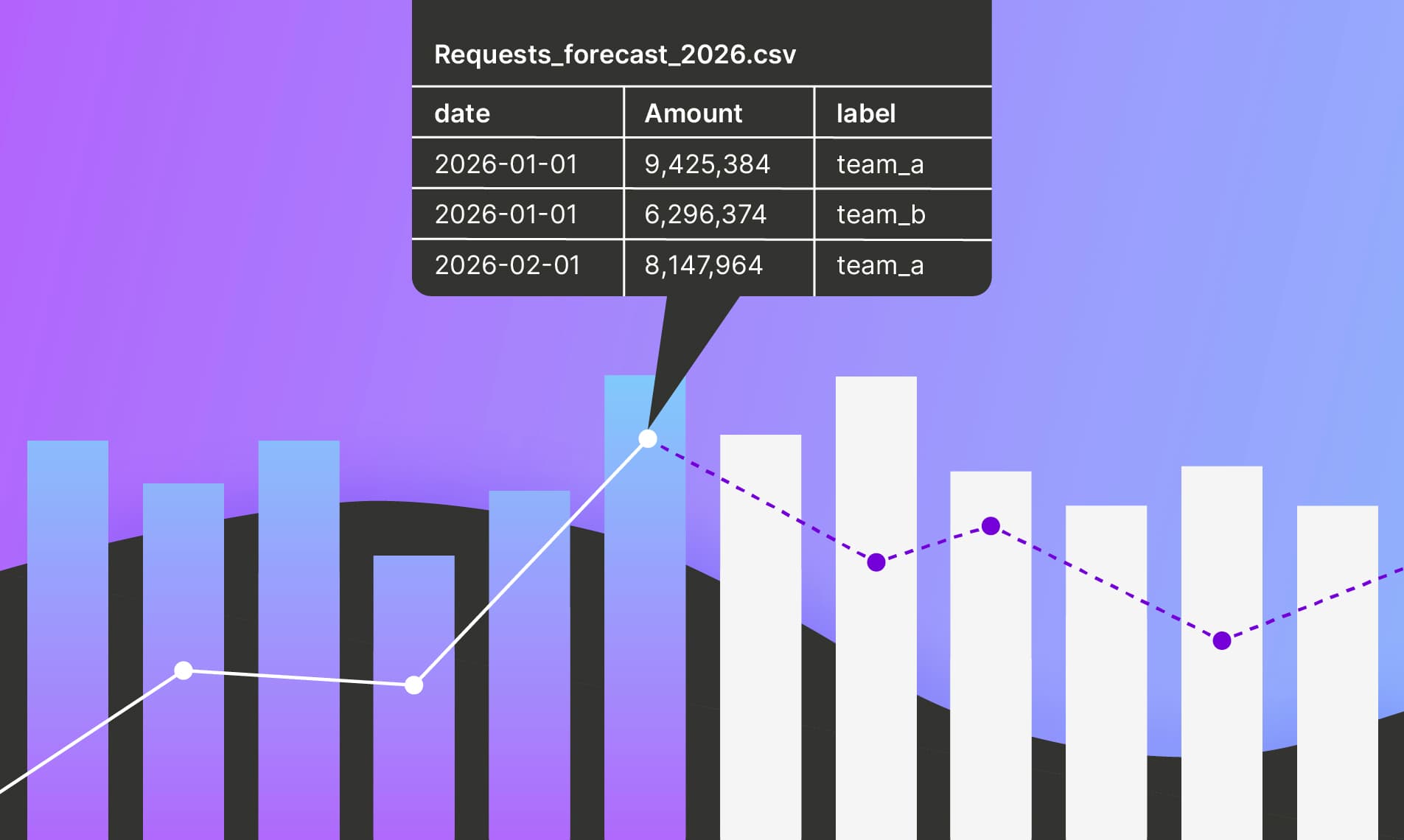

Today, Vantage is launching Dynamic Forecasting, enabling customers to align their cloud cost forecasts with the projected growth of their business. Customers can now upload future forecasts of Business Metrics that influence their underlying costs, such as number of subscribers or application requests, and Vantage will incorporate these projections into forward-looking cloud cost forecasts.
Vantage customers use Forecasts within Cost Reports to project future costs for their applications, teams, and organizations. Vantage has classically used a time-series model that accounts for seasonality and one-off spikes, forecasting on a per-service basis based on historical trends. However, customers wanted the ability to reflect their own business growth expectations, such as anticipated 100% year-over-year growth, or consumption spikes tied to product launches, directly in their cost forecasts.
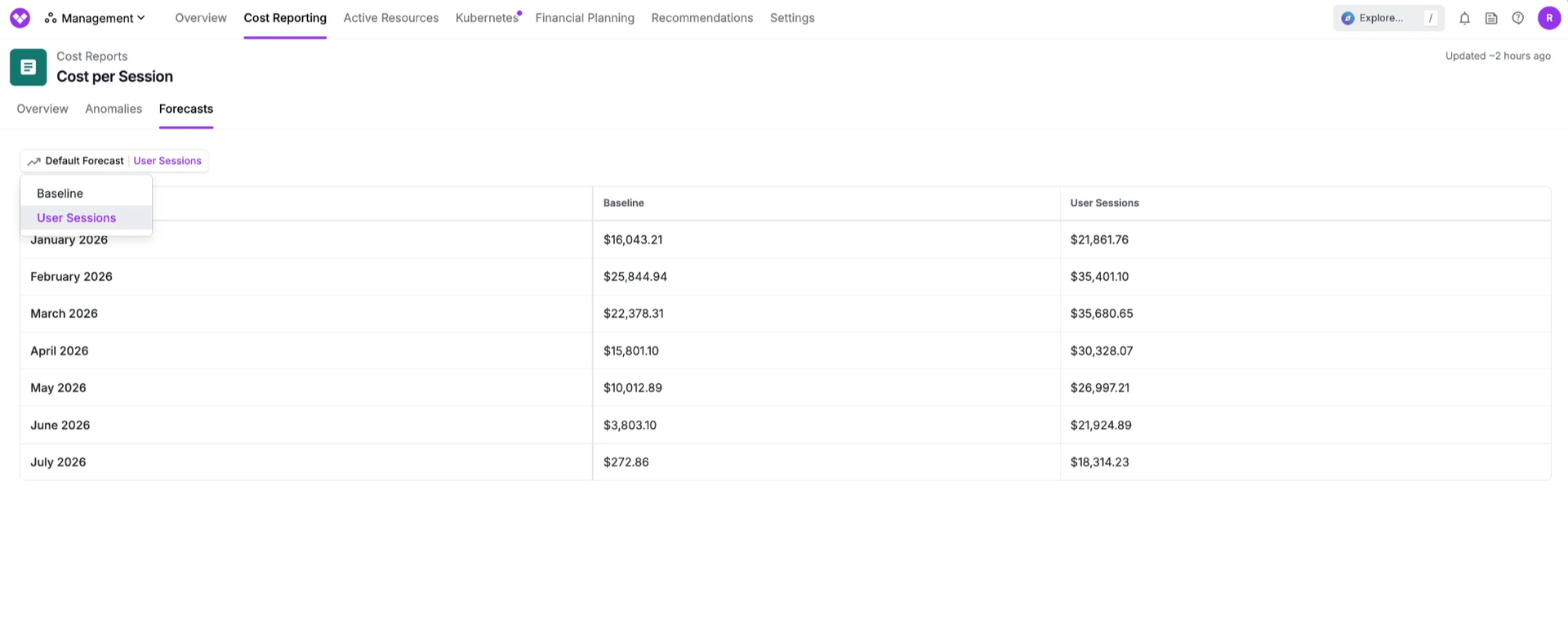
Now, with the launch of Dynamic Forecasting, Vantage customers can leverage the same metrics they use to forecast growth of their business, such as subscribers or application requests, to automatically project their cloud costs in Vantage. Users can upload forward-looking Business Metrics using the “Forecasted Metrics” tab, as well as through the /business_metrics endpoint via the API. Once uploaded, users can access the new "Forecasts" tab within Cost Reports to analyze their Baseline forecast (based purely on historical trends) or a Business Metric-based forecast (incorporating business growth projections), and choose which forecast will display on their Cost Report. By utilizing Dynamic Forecasting, customers can get more accurate projections of their cloud costs, ensuring engineering and finance teams remain aligned on expected cloud costs as their business scales.
Dynamic Forecasting is now available to all users. To get started, upload your forecasted Business Metrics in the Financial Planning Section, and use the new Forecasts tab in any Cost Reports. For more information, see the Dynamic Forecasts section of the Forecasting documentation.
Frequently Asked Questions
1. What is being launched today?
Vantage is launching Dynamic Forecasting, which allows customers to influence their forecasted costs by adding known future Business Metrics to use as inputs for their cloud cost forecasts.
2. Who is the customer?
Any Vantage customer on an Enterprise contract can utilize Dynamic Forecasting.
3. How much does this cost?
There is no additional cost for using Dynamic Forecasting.
4. How does Dynamic Forecasting work?
Vantage combines historical Business Metrics with your projected Business Metrics into a continuous time series. It then analyzes historical cost data alongside historical Business Metric values to learn correlation patterns and how changes in your metrics relate to changes in costs.
Your forecasted Business Metric values are then incorporated into the forecasting model, which generates future cost predictions by applying the learned correlations to your projected metrics while accounting for baseline cost trends, seasonal patterns, and service-specific scaling factors.
This process runs separately for each cloud service (EC2, RDS, S3, etc.) to account for how different services respond differently to Business Metric changes, and forecasts are constrained to date ranges where both historical and forecasted metrics exist, with label filters applied when specified.
5. How do I upload forecasted Business Metrics to be used?
To upload future Business Metric projections, navigate to the specific Business Metric and choose the “Forecasted Metrics” tab. From there, you can upload projected future values via CSV. Once you upload these projections, if you have chosen the “Business Metric” influenced forecast on any cost report, Vantage will automatically incorporate them into your cost forecasts to align with your business growth expectations.
6. Can I upload forecasted Business Metrics via API?
Send a PUT request to the /business_metric/{business_metric_token} endpoint. See the sample request below for parameters used in this request:
In the above request, the forecasted_values parameter will indicate that you are uploading future values rather than current values.
You can also use this endpoint to upload CSVs that contain your business metrics:
Note that the forecasted parameter is set to true.
7. How do I upload forecasted Business Metrics via Terraform?
Create a vantage_business_metric resource, such as the following example.
8. How do I choose which forecast is displayed on my Cost Report?
There is now a new tab displayed titled “Forecasts” on Cost Reports. On this tab, you can select either the Baseline forecast or the Business Metric-influenced forecast, which uses past and future Business Metric projections as an input to forecast modeling.
9. How long does it take to update my forecast?
The processing time depends on the amount of data contained in the filtered report, but it usually takes less than 10 minutes.
10. Are Dynamic Forecasts reflected in the Cost Report Forecasts API when retrieving?
Yes, Dynamic Forecasts are represented in the response for the /cost_reports/{cost_report_token}/forecasted_costs API. By default, it will return whichever forecast is set as the default for the report.
11. Are Dynamic Forecasts reflected in the responses from the Vantage MCP server?
Yes, Dynamic Forecasts are represented in the Vantage MCP when LLMs call the get-cost-report-forecast tool.
12. Do I need to have historical Business Metric values uploaded in order to create a Dynamic Forecast?
Yes, you must have historical values in addition to future values uploaded to a Business Metric in order to ensure your Forecast incorporates your Forecasted Business Metric values.
13. Can I adjust a Dynamic Forecast after I've created it?
Yes, any time you update your Forecasted Business Metrics, Vantage will recalculate your projected forecasts.
14. Can I utilize the same Business Metric for Forecasts on multiple Cost Reports?
Yes, there is no limit to the number of Cost Reports you can assign a Business Metric to and utilize its projected metrics for forecasting.
15. If I am using label filters for my Business Metric, how does that apply to my forecast?
If you have applied a label filter for a Business Metric on a Cost Report, Vantage will use the same label filter for projected Business Metrics when applying to your forecast. You must utilize the same filters for Forecasted Business Metrics for your metrics to be incorporated into your Dynamic Forecast.
16. If I have multiple Business Metrics assigned to my Cost Report, will I receive a forecast for each?
Yes, if you have multiple Business Metrics assigned to your Cost Report, you will have different forecasts for each metric, indicated by the name of the Business Metric when selecting your Default Forecast.
17. Is the forecast selection for a Cost Report available to view on an audit log?
Yes, changes to the Default Forecast selection are logged in the Vantage Audit Log.
18. Can I utilize the native Datadog or CloudWatch integration for Dynamic Forecasting?
No, since Datadog and CloudWatch stream metrics as they are accumulated, you must upload projected metrics in CSV form.
19. How far into the future can I forecast?
Your forecast duration will match your data retention within Vantage. For example, if you have 6 months of data retention, you can forecast 6 months into the future.
Sign up for a free trial.
Get started with tracking your cloud costs.
Read more
Vantage Launches Support for Cartesia Costs
Vantage Launches Usage Budgets: Monitor Tokens and Provider Usage Units Alongside Cost
Vantage Launches Native Business Metrics Imports for GCP BigQuery and ClickHouse
Vantage Launches Support for DigitalOcean Costs